

XgenOffice for Windows (Beta)
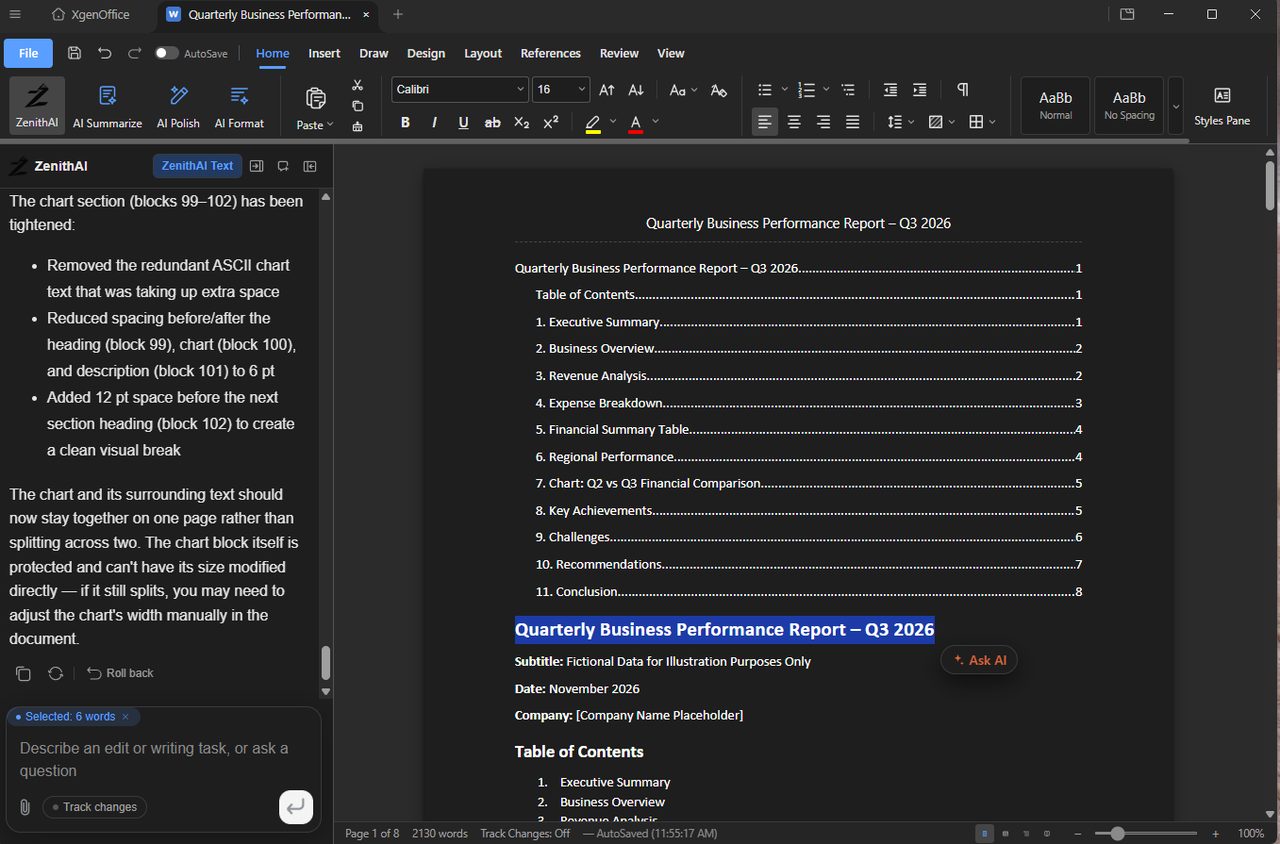
XgenOffice for Windows is a desktop app, now in Beta, for editing Word, Excel, PowerPoint and PDF files on your PC, with a built-in ZenithAI assistant. It is free for mailboxes on a paid XgenPlus plan. During the Beta it comes without support or warranty, and we welcome your feedback.
How to xgenOffice for Windows (Beta)
- Download Xgen Office (Beta) from the XgenPlus download page and install it.
- Sign in with your XgenPlus email address and the code from the XgenPlus mobile app.
- Open or create a document, spreadsheet, presentation or PDF from the Home screen.
- Add an API key in Settings to use the AI assistant.
When to use it
Rohit at acme.in prepares a monthly sales review on his laptop. He drafts the report in Docs, builds the summary table in Sheets and asks the ZenithAI panel to turn the key points into a slide deck, all in one window.
Beta release
XgenOffice for Windows is in Beta. It is free for paid XgenPlus plans and provided without support or warranty until its final release. The Beta is for customers to use and share feedback. To send feedback, write to us.
What is in the app
| App | Files | AI buttons |
|---|---|---|
| Docs | .docx | ZenithAI, AI Summarize, AI Polish, AI Format |
| Sheets | .xlsx (opens .xls and .csv as a copy) | ZenithAI, AI Check, AI Analyze |
| Slides | .pptx | ZenithAI, AI Beautify, AI Fact Check, AI Image |
| ZenithAI, AI Summarize, AI Key Points |
Good to know
- Each file opens in its own tab. The XgenOffice tab takes you back to the Home screen.
- Files are saved on your PC in Microsoft Office formats.
- For editing files in your browser, use XgenOffice in Storage.
Common questions
Is XgenOffice for Windows free?
Yes. It is free for every mailbox on a paid XgenPlus plan, with no extra licence cost. The AI assistant uses an API key that you add yourself.
Is there support for the Beta?
No. During the Beta, XgenOffice for Windows is provided without support and without warranty. Support and warranty start with the final release. Please send us your feedback.
Is it the same as XgenOffice in Storage?
No. XgenOffice in Storage edits files in your browser and is not a Beta. XgenOffice for Windows is a separate desktop app that edits files saved on your PC.