

Change what recipients can do after sending
To change rights on a sent mail, open it in Sent, click Rights and tick what recipients may no longer do, such as Reply, Delete, Forward or Print. Click Set. The change applies straight away to the mail already in their mailboxes. Your domain admin must have enabled the Rights feature for you.
For: EveryoneWebSecurity● Unique to XgenPlus
How to change what recipients can do after sending
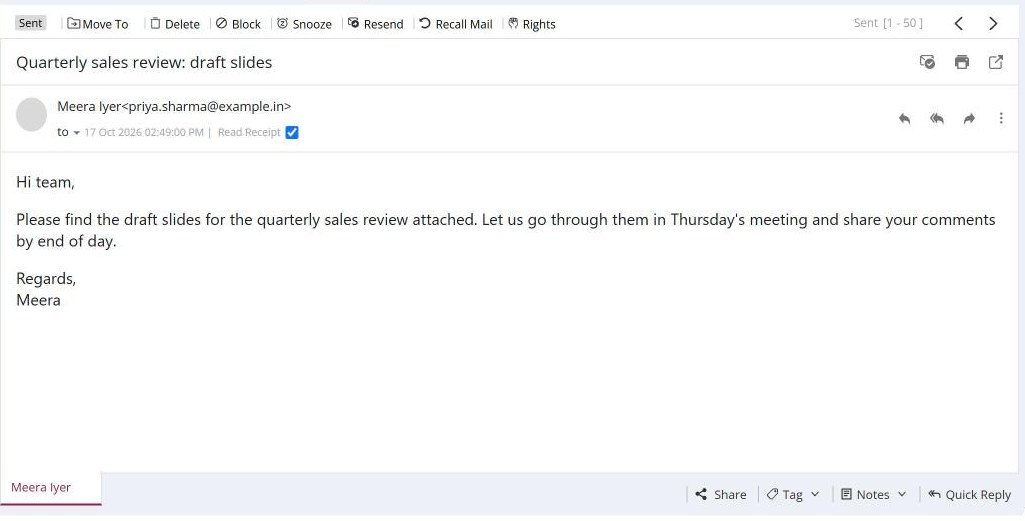
- Open the mail in Sent (or a scheduled mail).
- Click Rights. Right Management opens with the current restrictions ticked.
- Under Restrict following rights of the recipient/s, tick or untick Reply, Delete, Forward and Print.
- Click Set.
When to use it
Meera in sales sends a draft price list to five distributors, then realises it is confidential. She opens it in Sent, clicks Rights, ticks Forward and Print, and clicks Set. The distributors can still read it, but cannot pass it on or print it.
Options
| Right | When ticked, recipients cannot |
|---|---|
| Reply | Reply to the mail. |
| Delete | Delete the mail. |
| Forward | Forward the mail. |
| Print the mail. |
Good to know
- Rights are not available for mail sent to a group.
- Your domain admin enables or disables the Rights feature for your account. Once it is enabled, using it is your choice.
- If you don't see Rights, ask your administrator to enable it for you.
For admins
Administrators control this feature for the whole domain:
Was this page helpful?
Updated 2026-10-28