

Write and send a mail
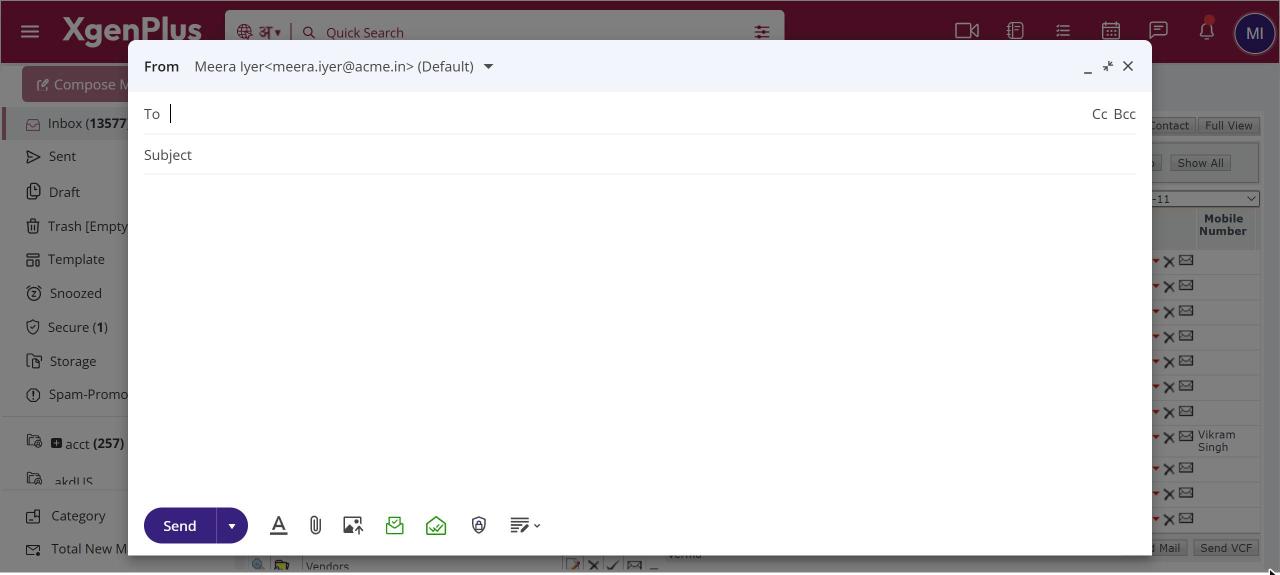
To write a mail, click Compose Mail at the top of the left pane. A New Message window opens over your mailbox. Fill in To, add Cc or Bcc if needed, type a Subject and your message, then click Send. The arrow next to Compose Mail also opens AI Compose and the Classic compose switch.
How to write and send a mail
- Click Compose Mail at the top of the left pane. A New Message window opens.
- Type the recipient's name or address in To. Click Cc or Bcc to add more people.
- Type a Subject and write your message in the body.
- Use the icons at the bottom to attach files, format text or request a delivery report.
- Click Send.
When to use it
Rohit in sales at acme.in gets a request for a quote. He clicks Compose Mail, addresses it to purchase@example.in, types the prices and sends it in under a minute, while his Inbox stays open behind the window.
Options
| Option | What it does |
|---|---|
| Cc / Bcc | Show extra address lines for copies and blind copies. |
| Send ▾ | Send now, or choose Schedule Send to send later. |
| Formatting options | Show the toolbar for fonts, colours, lists, links and tables. |
| Attach File (paper clip) | Add files from your computer. |
| Insert Image In Mail Body | Put a picture inside the message. |
| Delivery Report / Read Receipt | Ask to be told when the mail is delivered or opened. |
| Save Draft ▾ | Save the mail to Drafts, or Discard Draft. |
Good to know
- Your mail is saved to Drafts automatically while you type.
- You can keep up to three new compose windows open at the same time.
- Advanced options such as recipient rights, priority, PGP and templates are in Classic compose.
Common questions
What else is in the arrow next to Compose Mail?
Click the small arrow beside Compose Mail to open AI Compose, which drafts a mail for you, or to turn on Classic to use the older compose window with advanced options.
Which font does a new mail use?
New mails start with the default font and size from your mail settings. You can change the text for a single mail with Formatting options.