

Manage Storage folders on Android
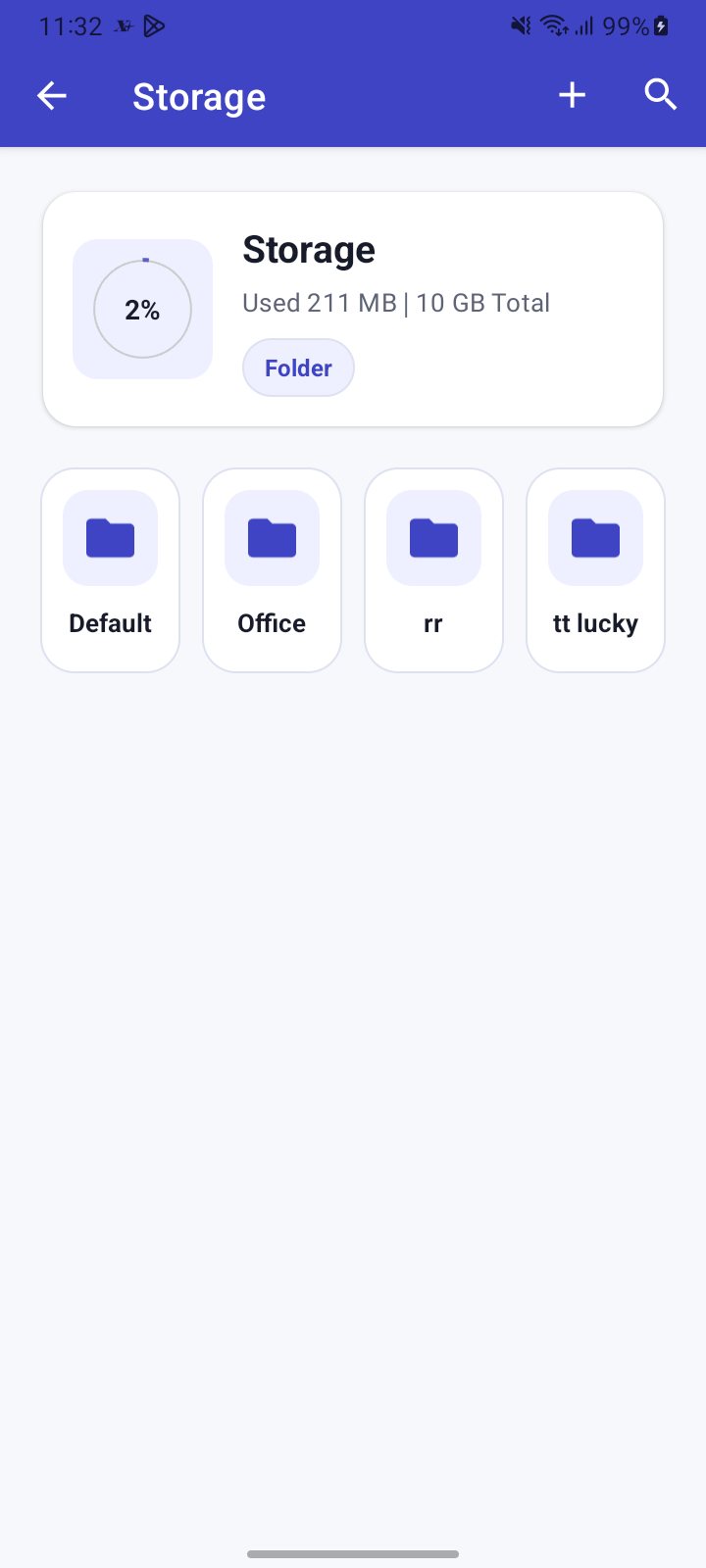
Open the menu in the XgenPlus app and tap Storage. The usage bar shows how much space you have used. Tap a folder to open it. Tap Add New then Create Folder to make one. Long-press a folder to Rename or Delete it. The default and office folders cannot be changed.
For: EveryoneWebAndroid
How to manage storage folders on android
Where: Menu › Storage
- Open the menu and tap Storage.
- Read the usage bar, for example Used X | Y Total.
- Tap a folder to open it.
- Tap Add New, then Create Folder, type a name and confirm.
- Long-press a folder and choose Rename or Delete.
When to use it
Meera creates a folder called "Contracts" to keep scanned agreements together.
Good to know
- Storage needs internet and is available for XgenPlus mailboxes.
- A folder name cannot be empty and cannot be a single space. Some reserved names are refused.
- The app asks you to confirm before deleting a folder.
Common questions
Why can I not rename or delete some folders?
The default folder and the office folder are system folders. The office folder is also read-only, so you cannot create folders or upload files in it.
Can I upload from the main Storage screen?
No. Open a folder first, then upload inside it.
Was this page helpful?
Updated 2026-10-28