

Create and organise Storage folders
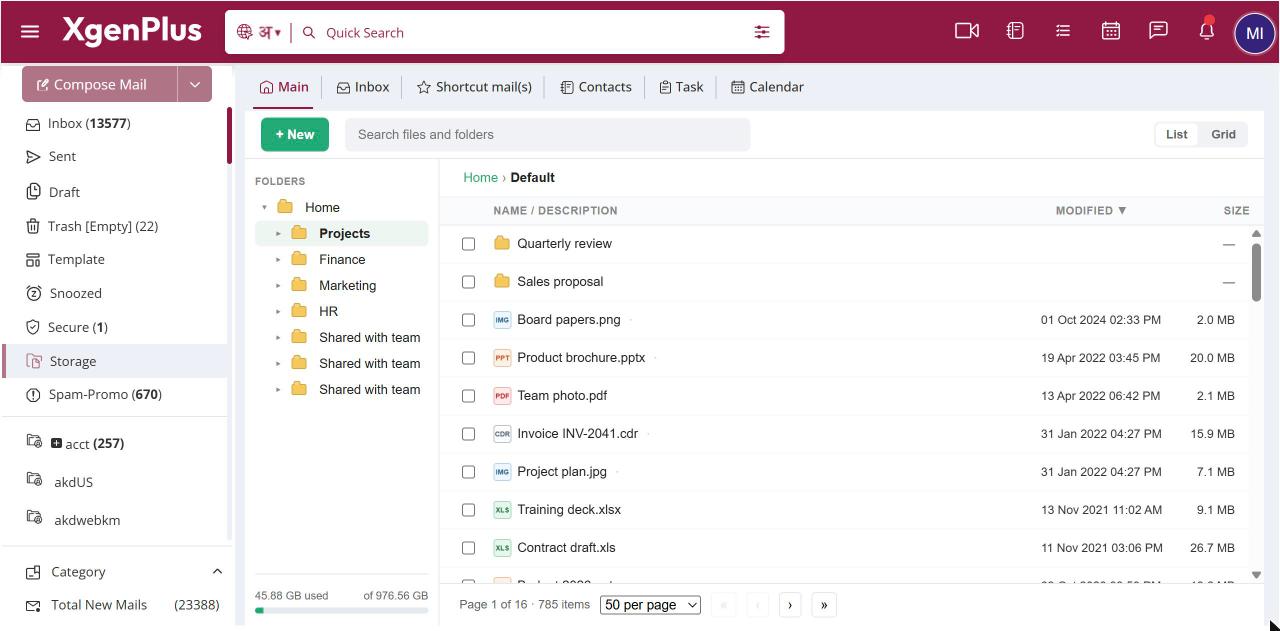
To create a folder, open Storage, go to where it should go, click + New and choose New folder. Type a name and click OK. To rename or delete a folder, right-click it and choose Rename or Delete. Deleting a folder permanently deletes every file and folder inside it.
For: EveryoneWebAndroid
How to create and organise storage folders
- Open Storage and go to the folder where the new one should go.
- Click + New, then New folder.
- Type a name and click OK.
- To rename or delete a folder, right-click it and choose Rename or Delete.
When to use it
Rohit starts a project for a new client and creates Client-ACME with two sub-folders, Design and Invoices, to keep deliverables apart.
Good to know
Deleting a folder is permanent. Everything inside it is deleted too. Storage has no recycle bin, so the files cannot be recovered.
- Folder names can be up to 160 characters.
- Two folders in the same place cannot have the same name.
- Your Home folder cannot be renamed or deleted.
- In List view you can also press F2 to rename the selected folder.
Was this page helpful?
Updated 2026-10-28