

Write a mail with AI Compose on Android
In a mail list, tap the compose button and choose AI Compose, or tap the AI icon inside Compose. Type your subject or purpose, optionally open Setting to choose language, tone, length and creativity, then tap the send arrow. The draft streams in. Copy it, or tap edit to use it in a mail.
For: EveryoneWebAndroidTime-savingAI
How to write a mail with ai compose on android
Where: Mail list › compose button › AI Compose
- Tap the compose button in a mail list and choose AI Compose. Inside Compose, tap the AI icon instead.
- Type your subject or purpose in the box. Tap the suggestions icon to pick a ready prompt.
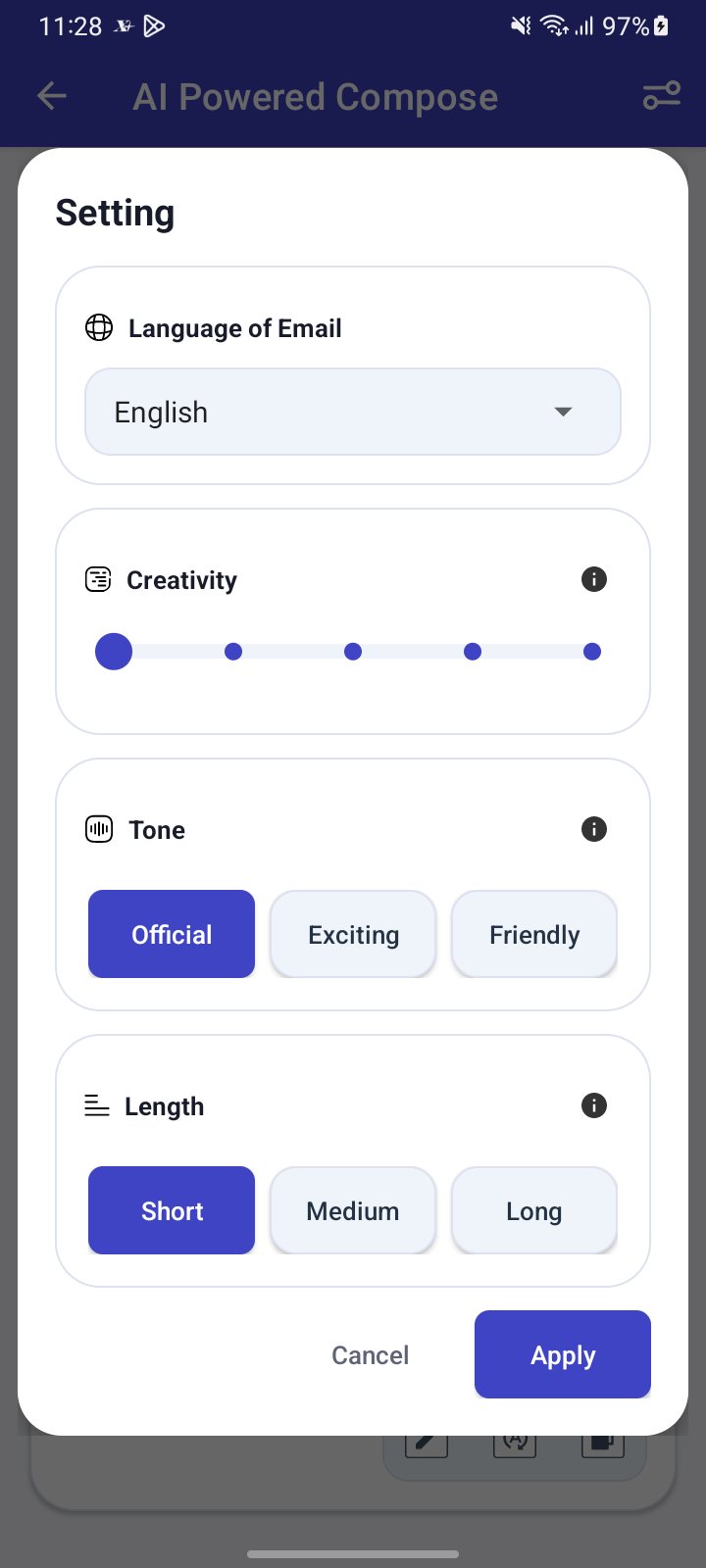
- Optionally open Setting and choose the language, tone, length and creativity, then tap Apply.
- Tap the send arrow and wait while the draft is written.
- Tap the copy icon, or tap edit to move the text into Compose.
When to use it
Meera types "Ask the vendor to resend invoice 4471", sets the tone to Official and the length to Short, and gets a polite three-line request to edit and send.
Options
| Option | Choices | Default |
|---|---|---|
| Language of Email | English, Hindi, Assamese, Bangla, Gujarati, Kannada, Marathi, Punjabi | Your app language if listed |
| Tone | Official, Exciting, Friendly | Official |
| Length | Short, Medium, Long | Short |
| Creativity | A slider from 2 to 10 | 2 |
Your settings are saved on the phone for each account.
Good to know
- AI Compose needs an internet connection and is available for XgenPlus mailboxes.
- A blank prompt is refused.
- If you leave with text on screen, the app asks whether to discard it.
Common questions
Which languages can AI Compose write in?
English, Hindi, Assamese, Bangla, Gujarati, Kannada, Marathi and Punjabi.
Should I send the draft as it is?
Read it first. AI Compose gives you a suggestion that you should check and edit before sending.
Was this page helpful?
Updated 2026-10-28