

Search Storage by name or file type
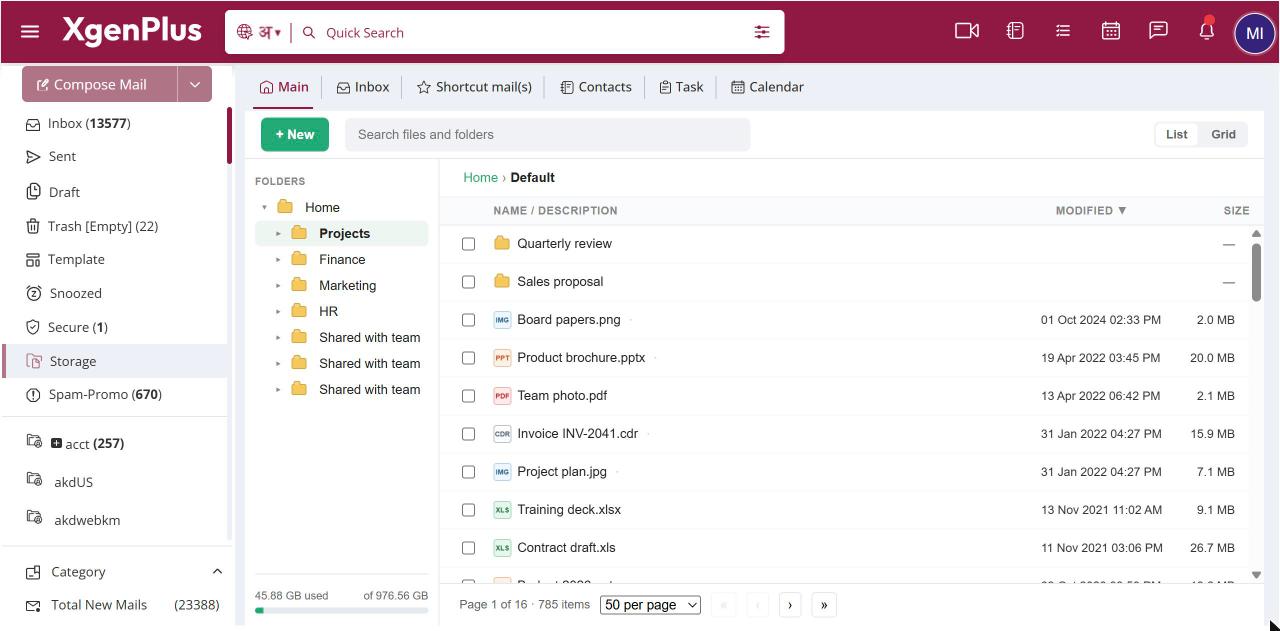
To search Storage, type in the search box at the top (Search files and folders). Results update as you type. Add type: followed by a kind, such as pdf, sheet or image, or ext: followed by an extension such as xlsx, to narrow the results. Put a phrase in quotes to match it exactly.
For: EveryoneWebAndroidTime-saving
How to search storage by name or file type
- Open Storage and click the search box at the top.
- Type part of a file or folder name.
- Optionally add a filter such as
type:pdforext:xlsx.
When to use it
Meera in legal types
type:sheet vendorand finds every vendor spreadsheet, whichever folder it is in.
Options
| Search | Finds |
|---|---|
invoice |
Files and folders with "invoice" in the name. |
"board deck" |
That exact phrase. |
type:pdf |
PDFs. Other kinds: office, document, sheet, presentation, image, video, audio, archive, text. |
ext:xlsx or .xlsx |
Files with that extension. |
invoice type:pdf |
Words and filters together. |
Good to know
- Hover over the search box to see a reminder of the search words.
kind:andfiletype:work the same astype:, andfile:works likeext:.
Was this page helpful?
Updated 2026-10-28