

Open a mail by its Mail-Id
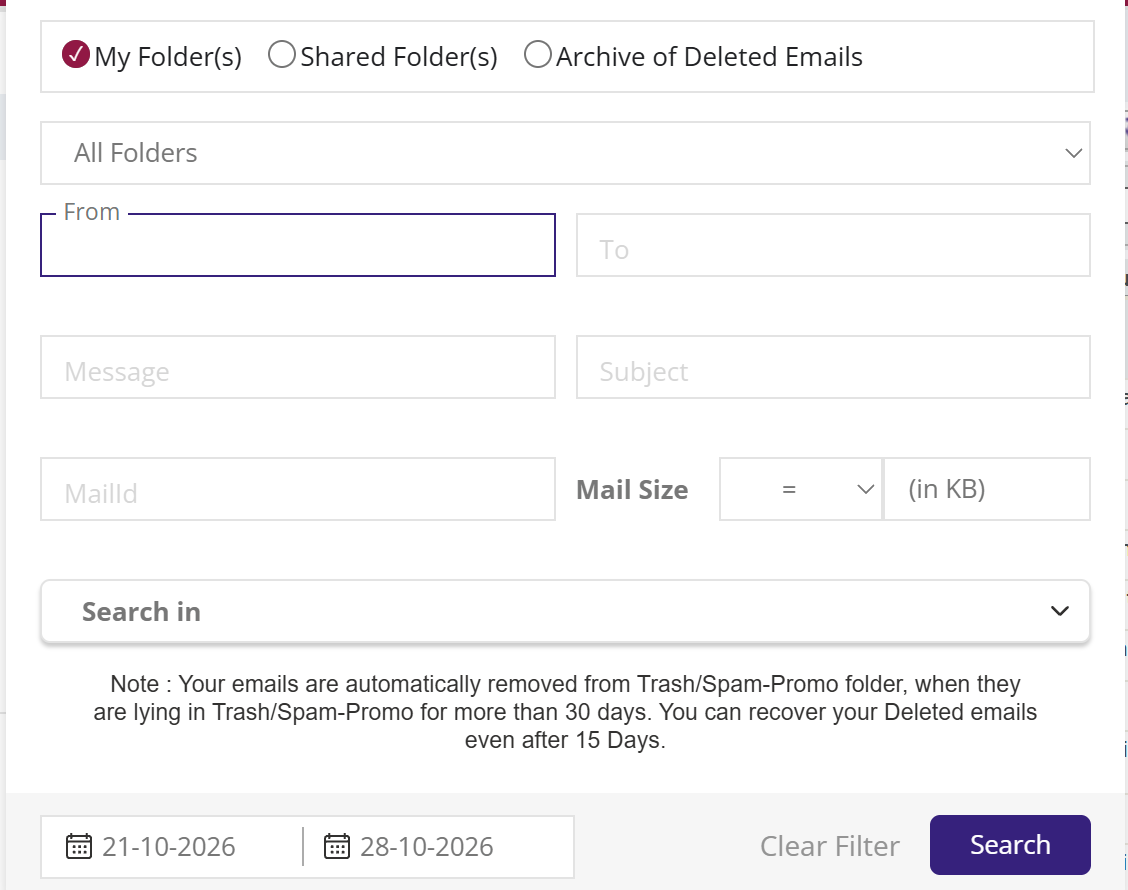
To open a mail by its Mail-Id, click the filter icon beside the search box, type the number in MailId and click Search. XgenPlus opens that exact mail. While a Mail-Id is entered, the other search fields are switched off. The Mail-Id must be a number, or you see "Invalid Mail-Id".
For: EveryoneWebTime-saving● Unique to XgenPlus
How to open a mail by its mail-id
- Click the filter icon at the right of the search box.
- Type the number in MailId.
- Click Search. The mail opens.
When to use it
A support ticket at acme.in refers to a customer's mail by its Mail-Id. Kavita on the helpdesk types the number in MailId and opens exactly that mail, without scrolling through hundreds of similar ones.
Good to know
- A Mail-Id is a number. Letters or symbols give the message "Invalid Mail-Id".
- Mail-Id search is part of Advanced Search, so it works from any folder.
Was this page helpful?
Updated 2026-10-28