

Choose who gets new leads
To choose who owns new leads, open Lead capture in XgenPlus CRM and select the Who gets leads tab. Pick Domain Admin pool to hand leads out yourself, or Round robin to share them in turn with people you choose. Tick Email whoever gets a new lead for an alert.
For: adminWeb
How to choose who gets new leads
Where: crm.xgenplus.com › Lead capture › Who gets leads
- Open Lead capture from the menu on the left and choose the Who gets leads tab.
- Under Who gets new leads, choose Domain Admin pool or Round robin.
- For Round robin, choose the people who should get leads in turn.
- Tick Email whoever gets a new lead if you want an alert.
- Send a test lead and check who it lands with.
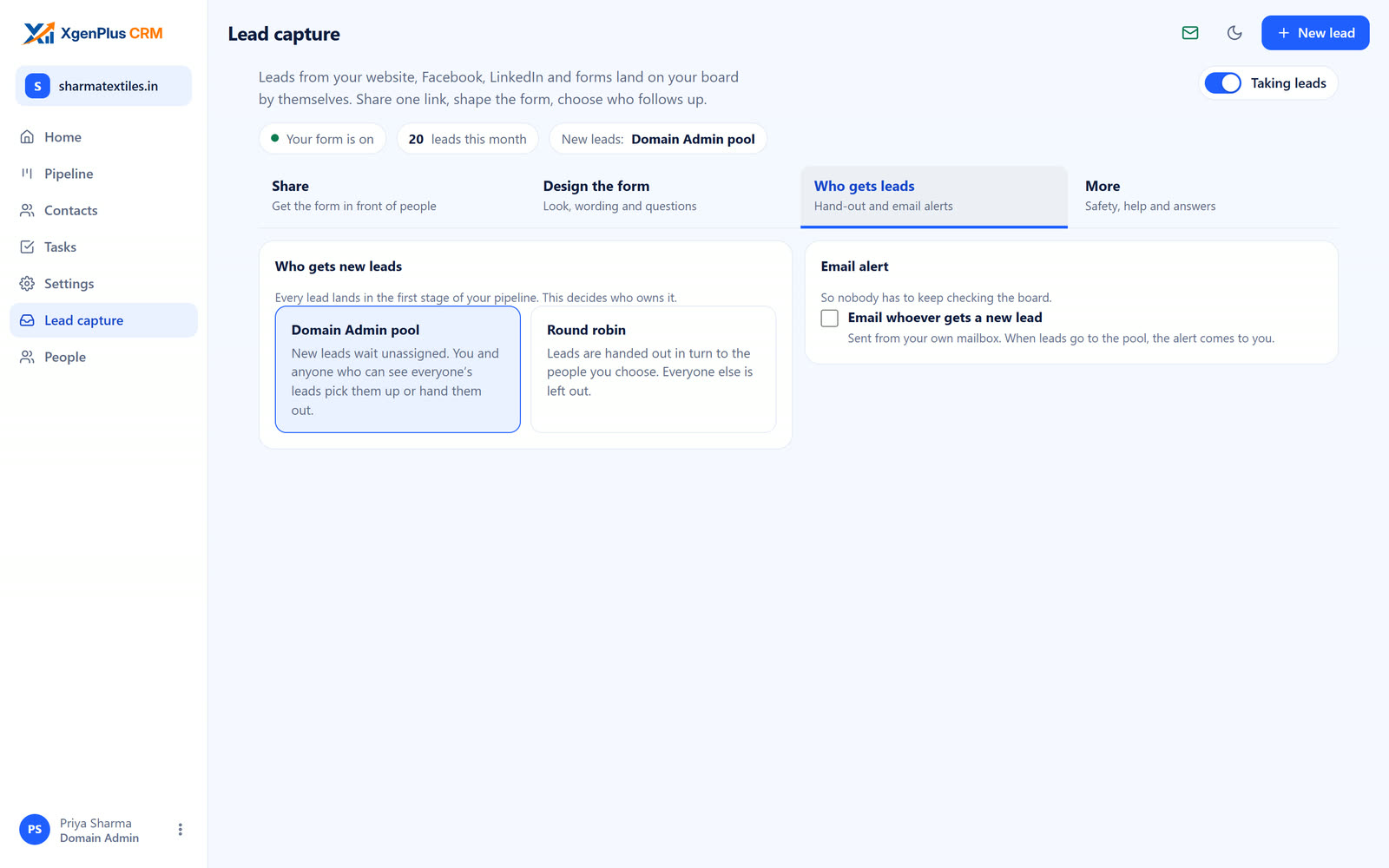
The two ways to hand out leads
| Choice | What happens |
|---|---|
| Domain Admin pool | New leads wait unassigned. You, and anyone who can see everyone's leads, pick them up or hand them out. |
| Round robin | Leads are handed out in turn to the people you choose. Everyone else is left out. |
Good to know
- The Email alert card says why it exists: so nobody has to keep checking the board.
- The top of the page shows your current choice, for example New leads: Domain Admin pool.
- Only the Domain Admin can change this.
Common questions
Which stage do new leads start in?
Every lead lands in the first stage of your pipeline, New. This setting decides who owns it.
Who gets the alert when leads go to the pool?
You do. The alert comes to the Domain Admin.
Where is the alert sent from?
From your own mailbox.
Was this page helpful?
Updated 2026-11-29
