

Move deals across the pipeline board
To move a deal, open Pipeline in XgenPlus CRM and drag the deal card to the next stage. Drag it into the narrow Won or Lost column to close it. You can use the mouse, a finger or the keyboard. If you drop a deal in the wrong place, choose Undo in the message that appears.
How to move deals across the pipeline board
Where: crm.xgenplus.com › Pipeline
- Open Pipeline from the menu on the left.
- Find the deal card in its stage, for example New.
- Drag the card to the next stage: Contacted, Meeting or Proposal.
- When the customer agrees, drag the card into Won. If you lose the deal, drag it into Lost.
- If you dropped it in the wrong place, choose Undo in the message that appears.
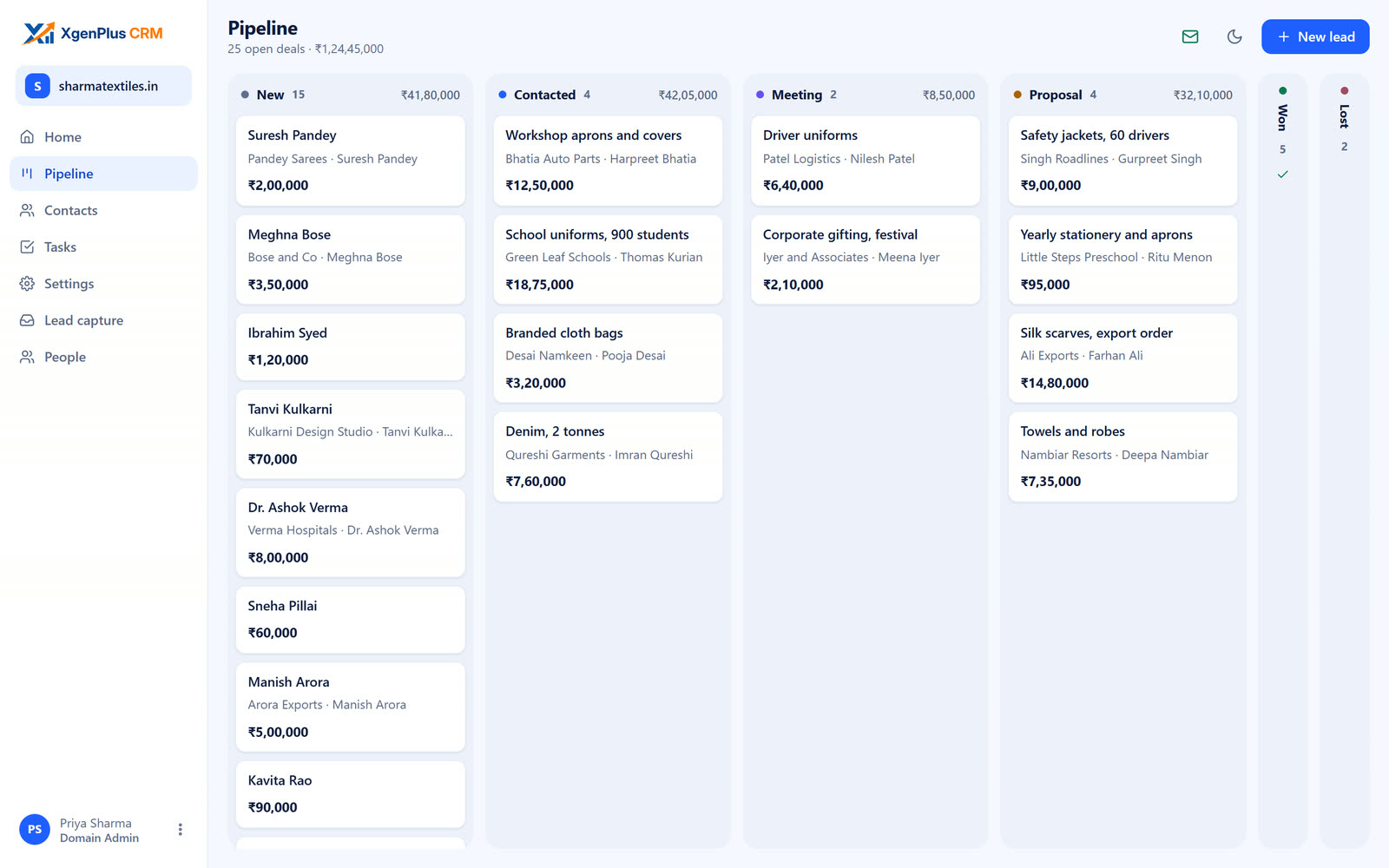
What the stages mean
Deals start in New. As you talk to the customer you move them through Contacted, Meeting and Proposal. Closed deals sit in the narrow Won and Lost columns on the right, with their counts.
Good to know
- Each column header shows how many deals it holds and their total value.
- Closing a deal is not final. Undo puts it back, and you can drag it out of Won or Lost later.
- A new lead from your lead form appears in New within seconds.
Common questions
Can I move a deal without a mouse?
Yes. You can drag with a finger on a phone or tablet, and move a card with the keyboard.
What does the total on each column mean?
Each column shows how many deals it holds and the total value of those deals, in your company's currency.
Is there confetti when I win a deal?
No. The celebration is small and calm: the Won column turns green, its count goes up and a message says Deal won, with Undo.
