

Choose roles for your CRM team
A role says what a person can do and whose records they see. Open People and then the Roles tab to see the six built-in roles: Domain Admin, Sales Manager, Team Lead, Sales Rep, Field Agent and Viewer. To make your own, choose New role. Nobody can give a role more than they hold themselves.
For: adminWeb
How to choose roles for your CRM team
Where: crm.xgenplus.com › People › Roles
- Open People from the menu on the left.
- Choose the Roles tab.
- Read the card for each role to see what it can do and whose records it sees.
- To change a built-in role, choose Edit on its card.
- To make your own, choose New role.
- Give it a name, a short note in What this role is for, whose records it sees and the permissions to tick, then choose Create role.
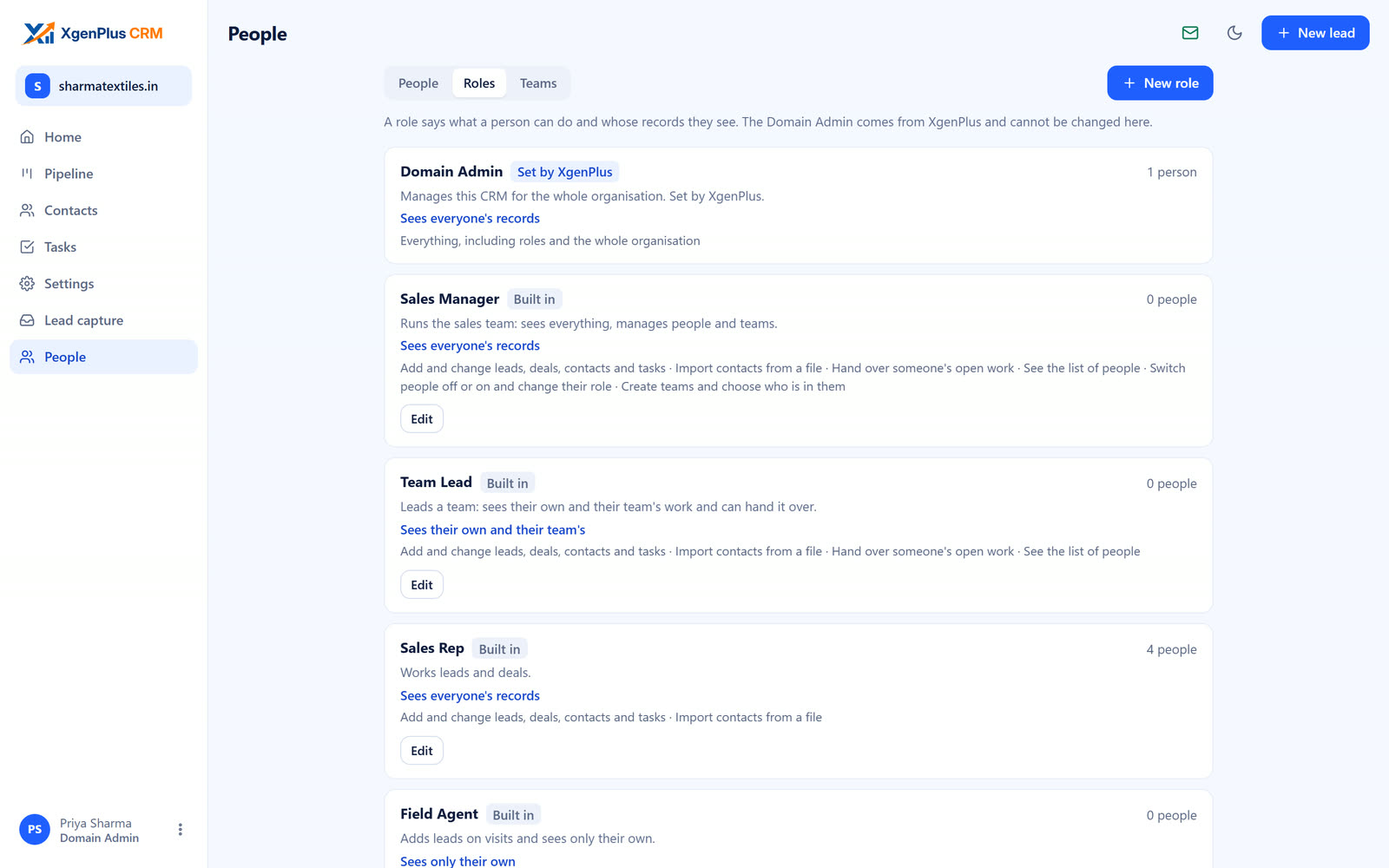
The built-in roles
| Role | What it is for | Whose records it sees | What it can do |
|---|---|---|---|
| Domain Admin (set by XgenPlus) | Manages the CRM for the whole organisation | Everyone's | Everything, including roles |
| Sales Manager | Runs the sales team | Everyone's | Add and change leads, deals, contacts and tasks. Import contacts from a file. Hand over someone's open work. See the list of people. Switch people off or on and change their role. Create teams and choose who is in them |
| Team Lead | Leads a team | Their own and their team's | Add and change leads, deals, contacts and tasks. Import contacts from a file. Hand over someone's open work. See the list of people |
| Sales Rep | Works leads and deals | Everyone's | Add and change leads, deals, contacts and tasks. Import contacts from a file |
| Field Agent | Adds leads on visits | Only their own | Add and change leads, deals, contacts and tasks |
| Viewer | Can look but not change anything | Everyone's | Look only, no changes |
Your own roles
Choose New role to make a role that fits your business. You pick whose records it sees (their own, their own and their team's, or everyone's) and tick the permissions it needs, including "Create teams and choose who is in them". Choose Edit on a built-in role to adjust it.
Good to know
- The Domain Admin role is set by XgenPlus and cannot be changed here.
- Nobody can give a role more than they hold themselves.
- To assign a role to a person, use the role dropdown on the People tab.
Common questions
Can I change the Domain Admin role?
No. The Domain Admin comes from XgenPlus and cannot be changed in the CRM.
Can a role give someone more than I have?
No. Nobody can give a role more than they hold themselves.
Was this page helpful?
Updated 2026-11-29
