

Keep separate address books
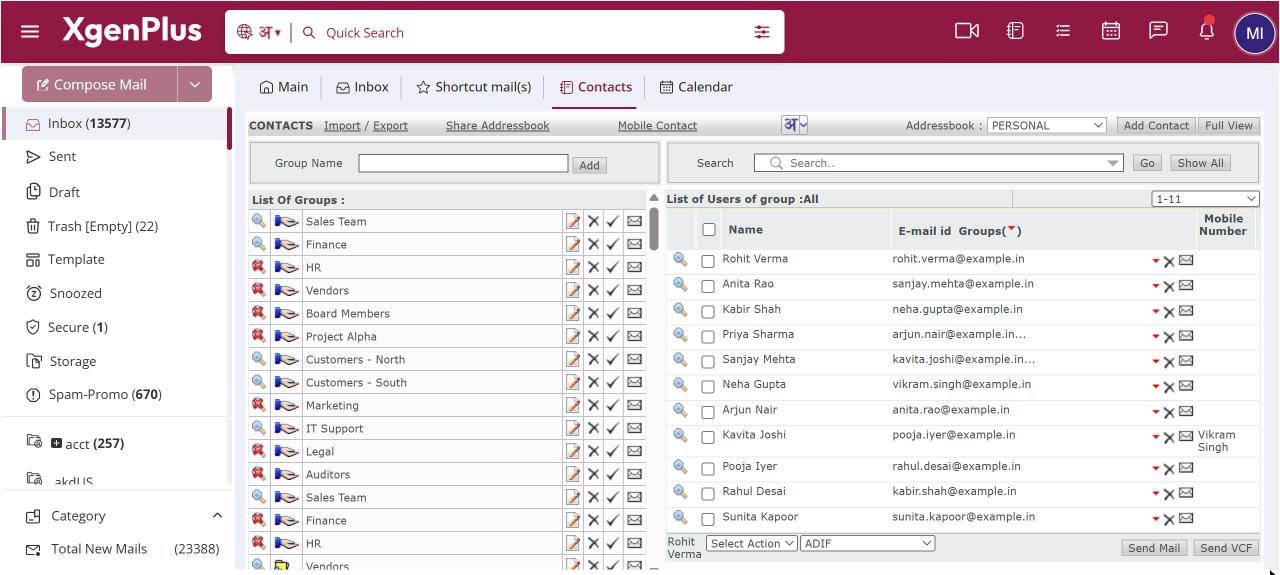
To add an address book, open Contacts, open the Addressbook drop-down at the top right and choose Add New AddressBook. Enter a name of up to 30 characters and save. Pick a book in the drop-down to work in it. Your PERSONAL address book is always there and cannot be deleted.
For: EveryoneWeb
How to keep separate address books
- Click the Contacts icon in the top bar.
- Open the Addressbook drop-down at the top right and choose Add New AddressBook.
- Enter the Addressbook Name and save.
- Choose the address book in the drop-down to add groups and contacts to it.
- To remove an address book you created, select it and click Delete.
When to use it
Rohit, a sales manager at acme.in, keeps colleagues in PERSONAL and creates a DISTRIBUTORS address book for 300 dealer contacts, so dealer groups stay separate from his day-to-day contacts.
Good to know
Deleting an address book deletes everything in it. All its groups and contacts are removed. XgenPlus asks you to confirm first.
- Names can use letters in any language, numbers, hyphens and underscores.
- Address books that colleagues shared with you also appear in the drop-down, with the owner's address after the name. They have an Unshare button instead of Delete.
Was this page helpful?
Updated 2026-10-28