

Search your contacts
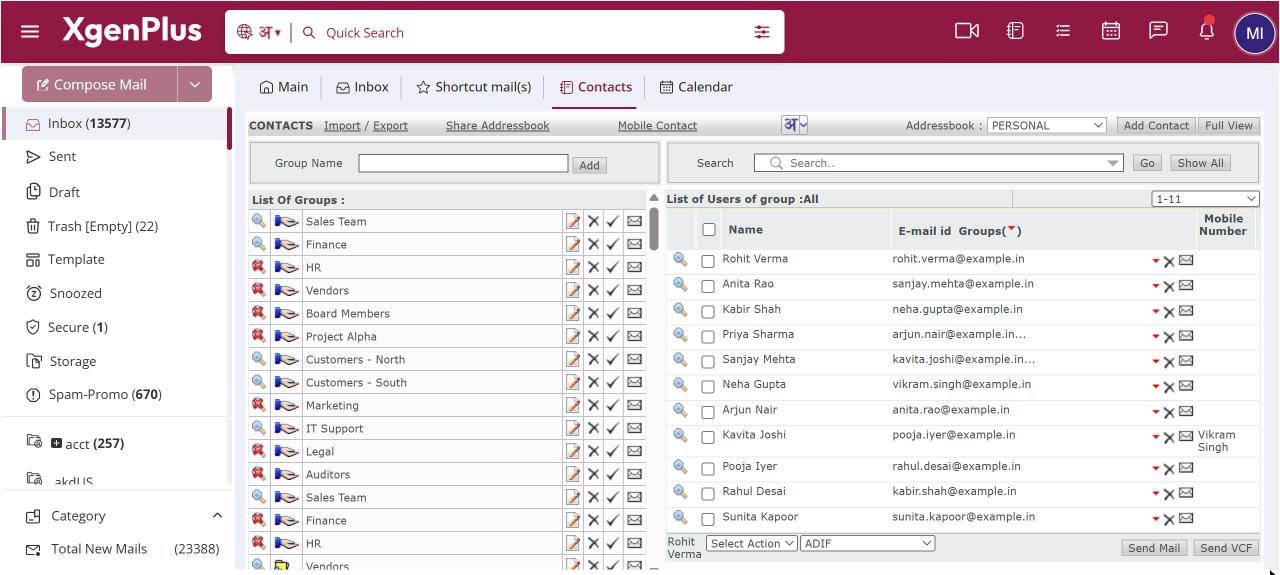
To search, open Contacts, type a name or address in the Search box and click Go. For a precise search, open More Options, fill in first, middle or last name or email address, optionally pick groups under Exclude Group, and click Search. Click Show All to clear the search.
For: EveryoneWeb
How to search your contacts
- Open Contacts and type in the Search box.
- Click Go.
- For more control, click the arrow for More Options, fill in the fields and click Search.
- Click Show All to see all contacts again.
When to use it
Meera in recruitment searches for everyone with last name Sharma but leaves out the ALUMNI group, so she sees only current candidates.
Options
| Option | What it does |
|---|---|
| Search and Go | Quick search across the current address book. |
| More Options | Search by First Name, Middle Name, Last Name or Email Address. |
| Exclude Group | Leaves the groups you pick out of the results. |
| Group search icons | The icons beside each group switch that group in or out of searches. |
| Show All | Clears the search. |
Good to know
- Search looks in the address book selected in the Addressbook drop-down.
- You can mail everyone in the results at once with Send Mail.
Was this page helpful?
Updated 2026-10-28