

Share an address book
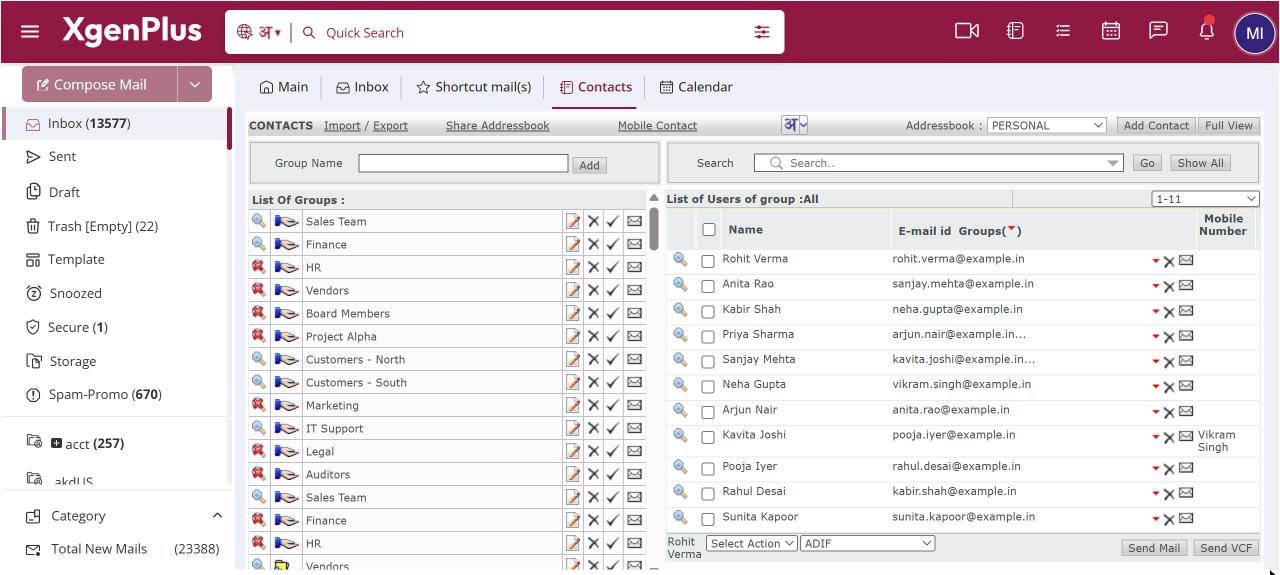
To share an address book, open Contacts and click Share Addressbook in the header. Select the address book, enter one or more colleagues' email addresses and, if they should be able to edit, tick Allow 'Update' permission on Contacts. Click Share. The book then appears in their Addressbook drop-down.
For: EveryoneWeb
How to share an address book
- Open Contacts and click Share Addressbook in the header.
- Select the address book to share.
- Enter your colleagues' email addresses, separated by commas.
- Tick Allow 'Update' permission on Contacts if they may change contacts.
- Click Share.
When to use it
Meera assists the CEO at acme.in. She shares the BOARD MEMBERS address book with two other assistants with update permission, so any of them can correct a phone number.
Good to know
- You can share with several colleagues at once, but not with yourself.
- Without update permission, colleagues can see the contacts but not add or change them.
- To share only one group rather than a whole book, share the group instead.
Common questions
How do I stop sharing?
Open Share Addressbook again for the same book and use Mark Unshare, or remove the people from the list.
Can I remove a book someone shared with me?
Yes. Select it in the Addressbook drop-down and click Unshare.
Was this page helpful?
Updated 2026-10-28