

Edit a document together
To edit together, share the file with Share... and give people the Editor role. Everyone who opens it at the same time works in one live session and sees changes as they happen. Up to 10 people can edit at once. Use the Collaboration tab for comments, Track Changes, Chat and Compare.
For: EveryoneWeb
How to edit a document together
- Share the file with Share... and give people the Editor or Commenter role.
- Open the file and click Edit. Others open it from Shared with me or the link in their mail.
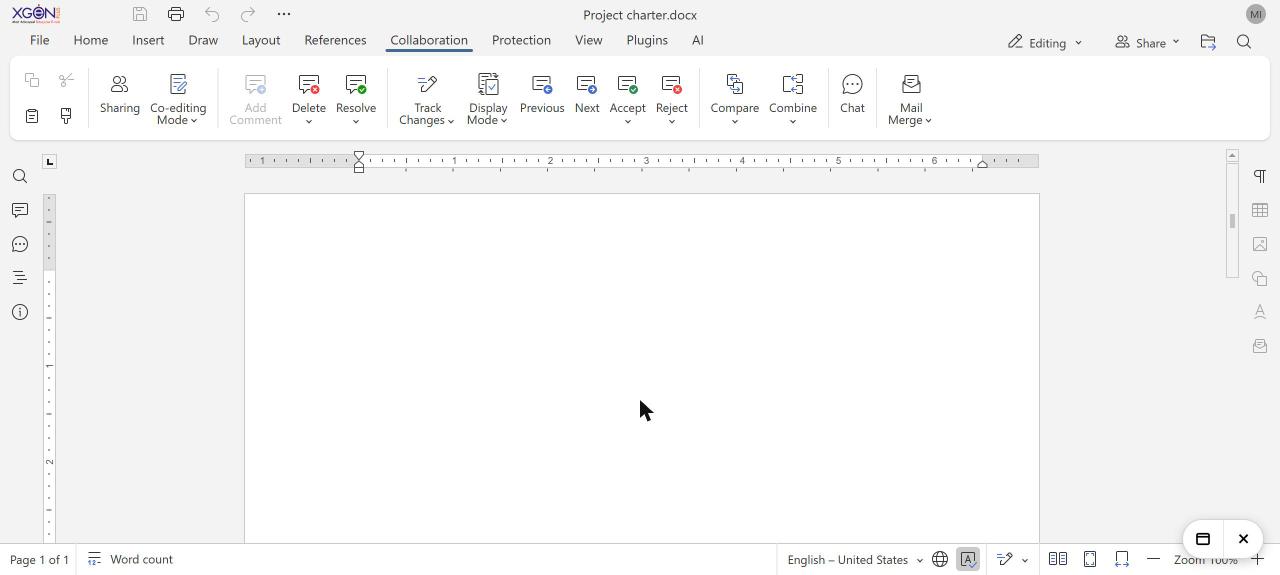
- Use the Collaboration tab to add comments, turn on Track Changes or open Chat.
- Close the file when you are done. Changes are saved for everyone.
When to use it
The sales team at acme.in updates one quarterly forecast sheet together. Each region head fills in their own rows, and the team lead resolves comments in the same file.
Roles
| Role | What they can do | File › Info shows |
|---|---|---|
| Editor | Edit, track changes, comment and fill in forms | Full Access |
| Commenter | Read and add comments | Comment |
| Viewer | Read only | Read Only |
The Collaboration tab
| Button | What it does |
|---|---|
| Sharing | Opens the sharing window. |
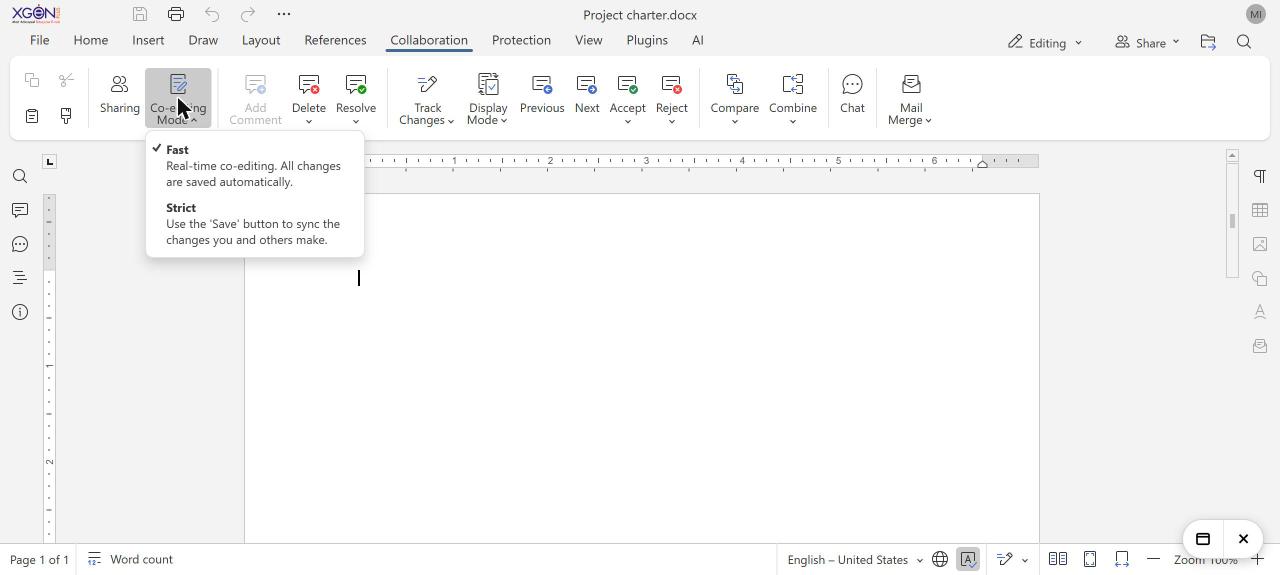
| Co-editing Mode | Fast (default): real-time co-editing, all changes are saved automatically. Strict: you click Save to share your changes and see others' changes. |
| Add Comment, Resolve, Delete | Work with comments. |
| Track Changes, Accept, Reject, Previous, Next | Record and review changes. |
| Display Mode | Choose how changes are shown, for example Markup or Original. |
| Compare, Combine | Compare two versions, or merge changes from another copy. |
| Chat | Chat with the people in the document. |
Good to know
- Each person appears by their email address. People who open an Anyone with the link link without signing in appear as a guest.
- Viewers are not counted in the limit of 10 editors, and they also see changes live.
- Changes are written to the file in Storage when the last person closes it. The file keeps the same place in Storage.
- Each save keeps the previous version. Open File › Version History to view and compare earlier versions. Restoring an old version is not available.
Common questions
What does "Too many people are editing" mean?
The file already has the most editors allowed at the same time, which is 10. Click Open read-only to read it, or Try again later.
I see the original text instead of the tracked changes. Why?
Your view is set to Original. Choose Markup under Display Mode on the Collaboration tab. If it keeps switching back, clear the site data for webmail in your browser.
Was this page helpful?
Updated 2026-11-03