

Use the AI assistant in XgenOffice
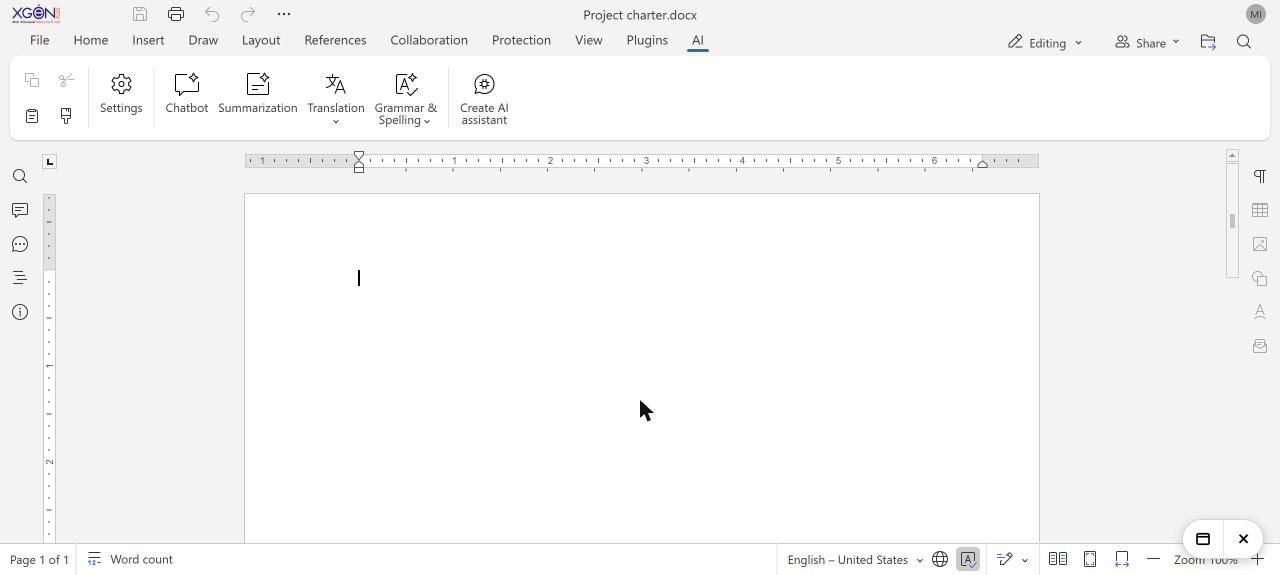
To use AI in a document, open it in XgenOffice and click the AI tab. Choose Chatbot to ask questions or draft text, or Summarization, Translation or Grammar & Spelling. It works with ZenithAI with no setup while you are signed in to webmail. It is included as a three-month trial, after which it needs the ZenithAI add-on.
How to use the AI assistant in XgenOffice
- Open a document, spreadsheet or presentation in XgenOffice.
- Click the AI tab.
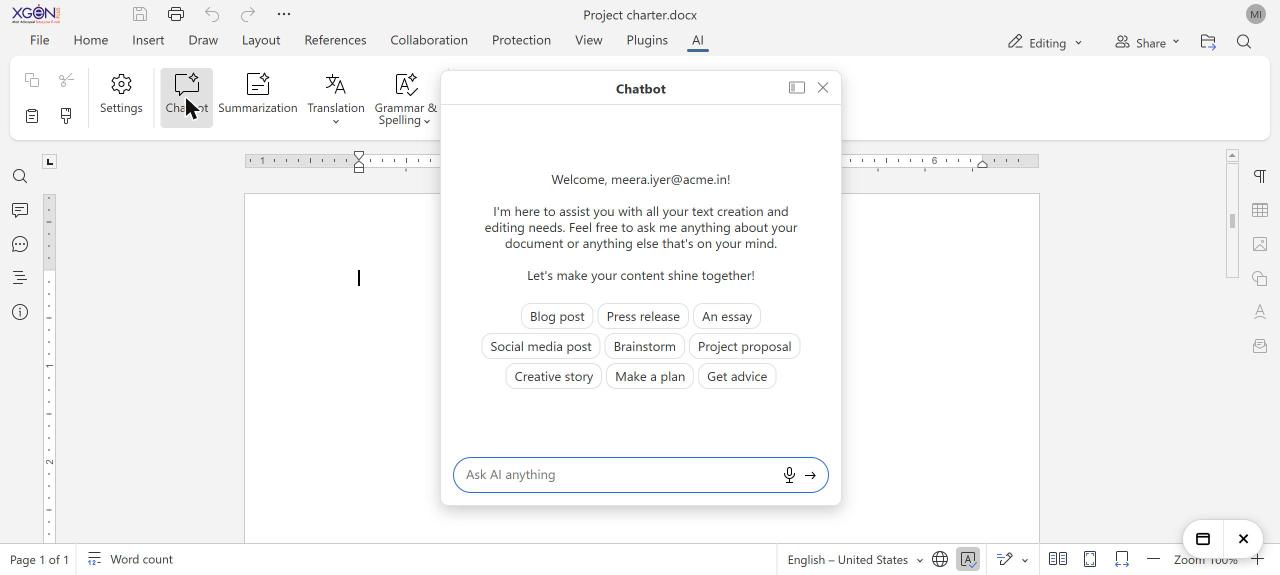
- Click Chatbot and type a request, or pick a prompt such as Make a plan.
- Or select text and choose Summarization, Translation or Grammar & Spelling.
When to use it
Neha in marketing opens a long product brief, selects it and clicks Summarization to get five bullet points for her manager, then uses Translation for the Hindi version.
Options
| Button | What it does |
|---|---|
| Chatbot | Ask questions or have text drafted, with prompts such as Blog post, Press release, Project proposal and Make a plan. |
| Summarization | Summarises the text you select. |
| Translation | Translates the text you select. |
| Grammar & Spelling | Checks and corrects the text you select. |
ZenithAI offers the models Instant, Fast, Smart and Genius. Chat, reading pictures and text in images use Smart; summaries, translation and text checks use Fast. The assistant does not create images.
Good to know
- You can send up to 30 AI requests a minute.
- If you added your own AI models in the editor before, they stay. To use ZenithAI instead, remove them or clear the site data for webmail in your browser.
| Message | What to do |
|---|---|
| Please sign in to webmail again | Your webmail session ended. Sign in and open the file again. |
| Too many AI requests, please wait a minute | Wait a minute and try again. |
| AI service is busy, please try again | Try again in a moment. |
| Request too large | Select less text. |
| AI service unavailable | Try again later. |
Common questions
Is the AI assistant free?
It is included as a three-month trial. After the trial it needs the ZenithAI add-on, which will be available on the XgenPlus website like other add-ons.
Do I need an API key?
No. When you are signed in to webmail, the AI tab works with ZenithAI with no setup.
Can guests use the AI assistant?
No. People who open a document through an Anyone with the link link without signing in do not get the AI assistant.