

Set language, currency and time zone
Open Settings in XgenPlus CRM and use Region and language to choose the language, time zone, currency and date format. Check the preview under What everyone will see, then choose Save settings. Only the Domain Admin can change these, and they apply to everyone at your domain.
For: adminWeb
How to set language, currency and time zone
Where: crm.xgenplus.com › Settings › Region and language
- Open Settings from the menu on the left.
- In Region and language, pick the Language.
- Pick your Time zone.
- Pick your Currency.
- Choose a Date format.
- Check the preview under What everyone will see, then choose Save settings.
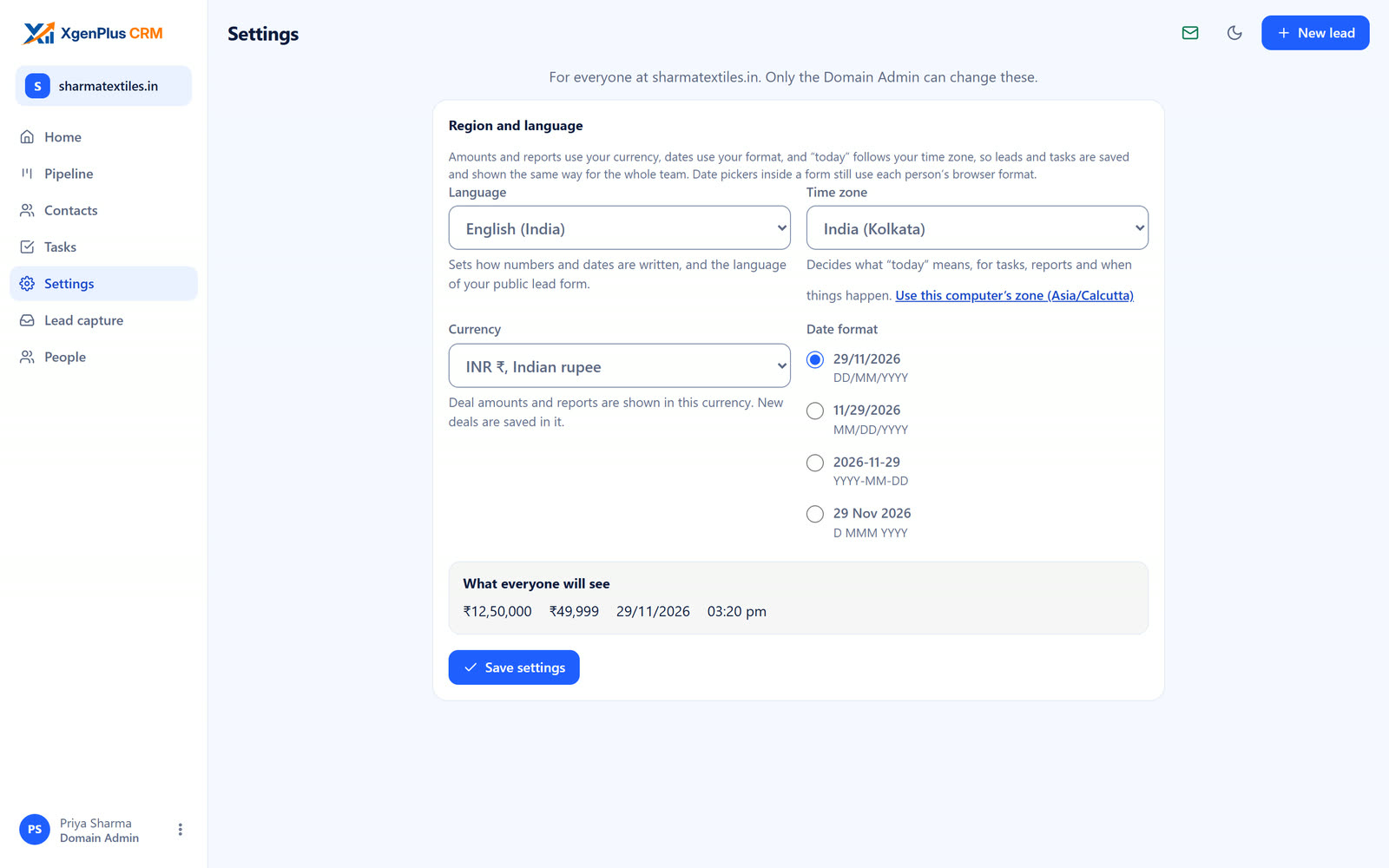
What each setting does
| Setting | What it does |
|---|---|
| Language | Sets how numbers and dates are written, and the language of your public lead form. |
| Time zone | Decides what "today" means, for tasks, reports and when things happen. India (Kolkata) is the default, and you can pick from about 40 zones around the world. |
| Currency | Deal amounts and reports are shown in this currency. New deals are saved in it. More than 15 currencies are offered, including INR, USD, EUR, GBP and AED. |
| Date format | Choose DD/MM/YYYY, MM/DD/YYYY, YYYY-MM-DD or D MMM YYYY. |
Good to know
- The CRM screens are in English. Your public lead form can speak English, Hindi, Gujarati and Bengali.
- The settings are for the whole team, so leads and tasks are saved and shown the same way for everyone.
- Date pickers inside a form still use each person's own browser format.
- The preview under What everyone will see shows an amount, a date and a time before you save.
Common questions
Are the CRM screens translated?
No. The CRM screens are in English. The language setting changes how numbers and dates are written and the language of your public lead form.
Which languages can the public lead form use?
English, Hindi, Gujarati and Bengali.
Who can change these settings?
Only the Domain Admin. The settings apply to everyone at your domain.
Was this page helpful?
Updated 2026-11-29
