

Send contacts as vCards
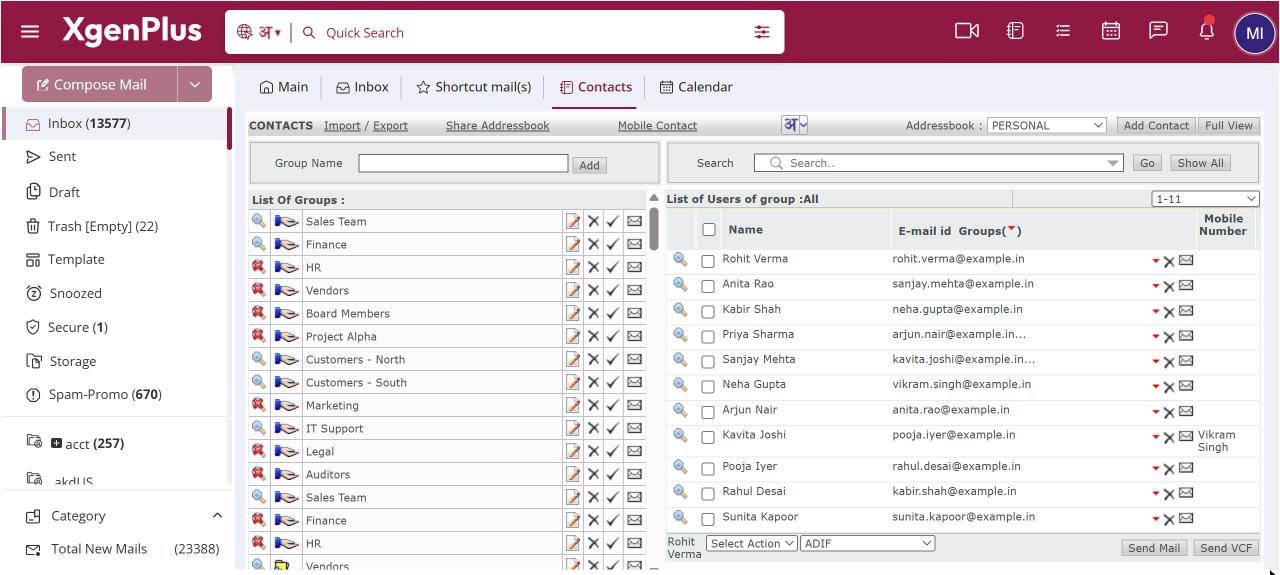
To send contacts as vCards, open Contacts, click a group and tick up to 9 contacts. Click Send VCF. A new mail opens with a vCard (.vcf) file already attached. Add the recipient and click Send. The recipient can open the file to save the contacts in their address book or phone.
For: EveryoneWebTime-saving
How to send contacts as vcards
- Open Contacts and click a group.
- Tick up to 9 contacts.
- Click Send VCF.
- Add a recipient in the mail that opens and click Send.
When to use it
Rohit in purchasing sends a new colleague the vCards of the five key vendor contacts in a single mail.
Good to know
- You can send at most 9 contacts at a time. You see "Maximum 9 Users are allowed" if you tick more.
- To share many contacts with a colleague in your organisation, share the group or address book instead.
Was this page helpful?
Updated 2026-10-28