

Use XgenPlus CRM on your phone
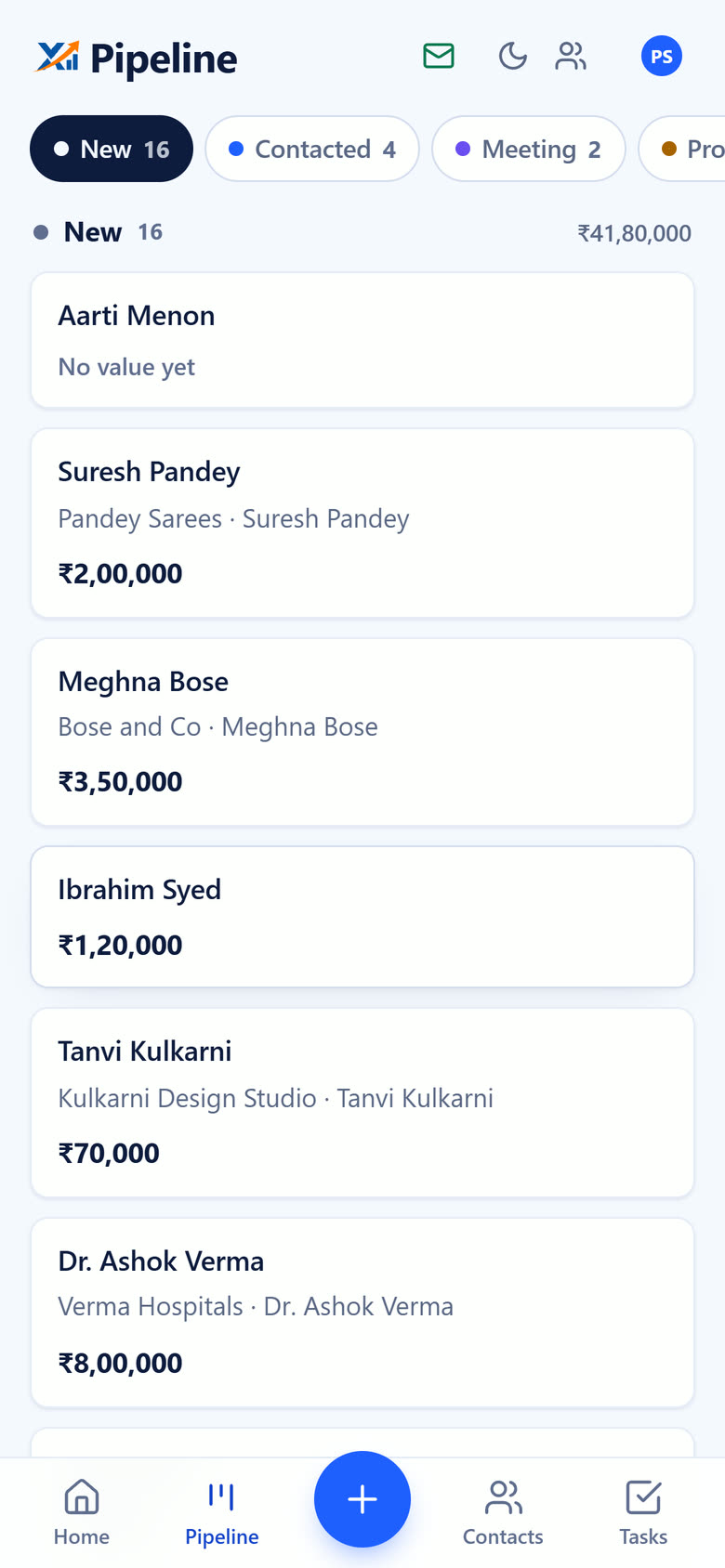
XgenPlus CRM works in your phone's browser, so there is nothing to install. Open crm.xgenplus.com and sign in the same way as on a computer. On the Pipeline, swipe between stages and tap the plus button to add a lead. Open a deal to call the customer or open WhatsApp.
How to use XgenPlus CRM on your phone
Where: Your phone's browser › crm.xgenplus.com
- Open crm.xgenplus.com in your phone's browser and sign in with your XgenPlus email address and the code from the XgenPlus app.
- Open Pipeline from the bar at the bottom and swipe between stages such as New and Contacted.
- Tap the plus button to add a lead.
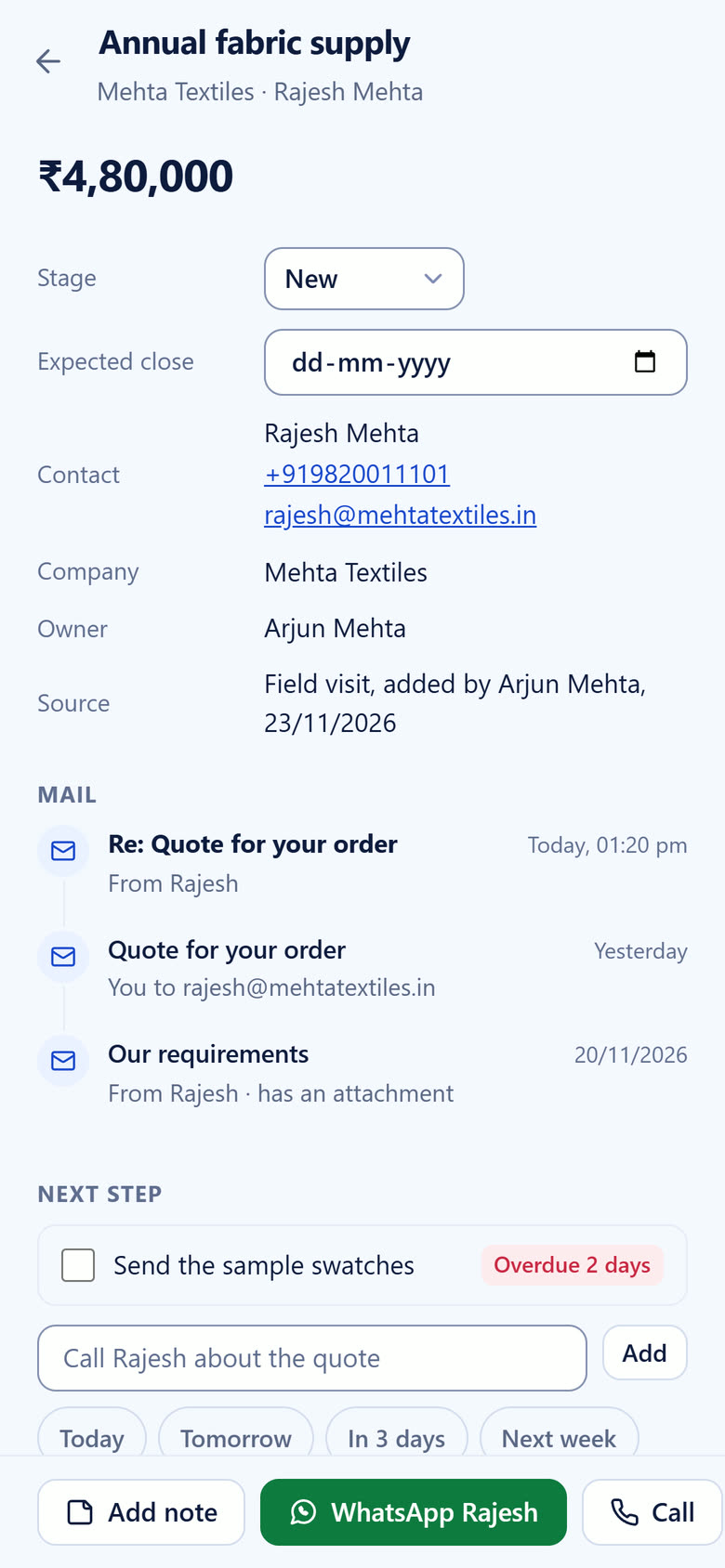
- Tap a deal to open it.
- Use Call or WhatsApp at the bottom of the deal.
What you see on a phone
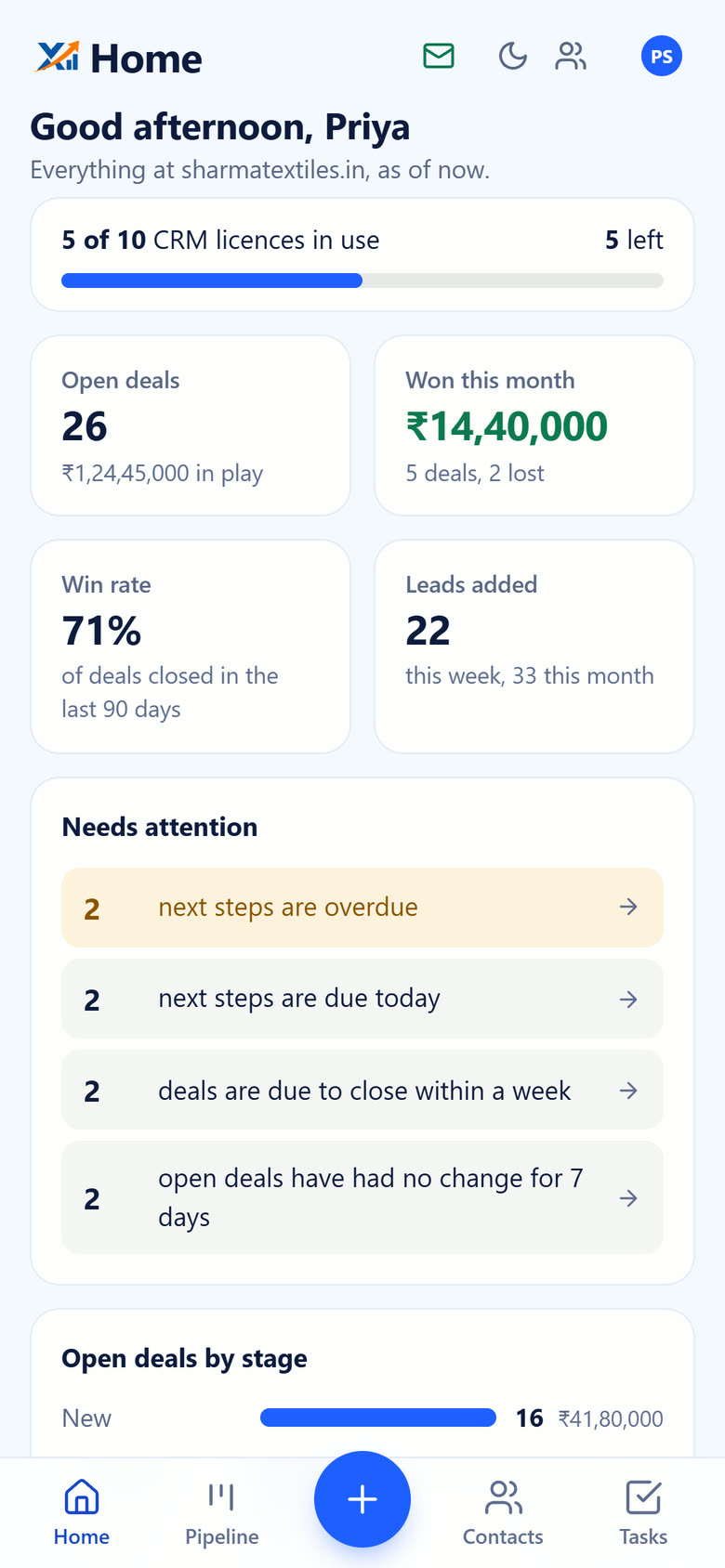
The bottom bar has Home, Pipeline, the plus button, Contacts and Tasks. Home shows the same tiles as on a computer. A deal opens full screen, with its mail, next step and the Add note, WhatsApp and Call buttons.
Good to know
- CRM runs in the browser on phones, tablets and computers.
- The CRM screens are in English.
- Adding a lead is covered on its own page.
Common questions
Is there a CRM app in the app store?
No. There is no separate mobile app. CRM runs in your phone browser.
Does WhatsApp send messages from inside the CRM?
No. The WhatsApp button opens the chat in WhatsApp. You write and send the message there.
Do I need a new password on my phone?
No. You sign in the same way as on a computer, with your XgenPlus email address and app code.
