

Sign in to XgenPlus CRM
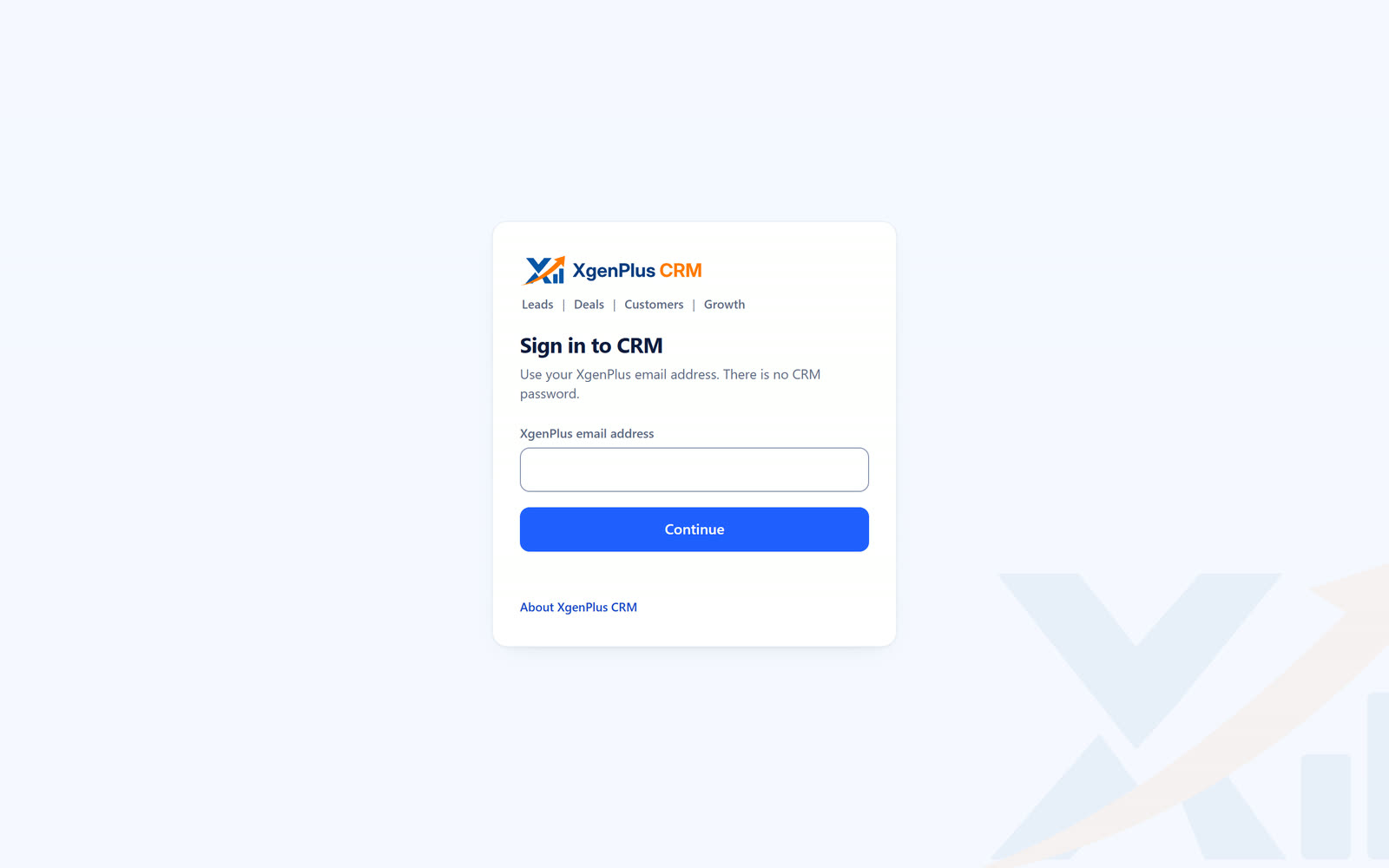
Open https://crm.xgenplus.com/app/, enter your XgenPlus email address and select Continue. Then enter the 6-digit code from the XgenPlus mobile app (Web Login). There is no CRM password. The Domain Admin signs in first, then colleagues on the same domain can sign in the same way.
For: Everyone, adminWeb
How to sign in to XgenPlus CRM
Where: https://crm.xgenplus.com/app/
- Open https://crm.xgenplus.com/app/ in your browser.
- Type your XgenPlus email address in XgenPlus email address and select Continue.
- Open the XgenPlus mobile app and find your Web Login code.
- Enter the 6-digit code on the CRM sign-in page.
Good to know
- The code comes from the XgenPlus mobile app, the same one you already use for Web Login.
- CRM is for companies on the Xgen Enterprise and Enterprise Pro plans.
- Your Domain Admin can tell your team by email that the CRM is open, with the link to sign in.
Common questions
Do I need a CRM password?
No. The sign-in page says there is no CRM password. You use your XgenPlus email address and the 6-digit code from the XgenPlus app.
Who signs in first?
The Domain Admin of your company signs in first and sets up the CRM. After that, colleagues on the same XgenPlus domain can sign in the same way.
Do I need to install anything?
No. XgenPlus CRM opens in your browser, on a computer or a phone.
Was this page helpful?
Updated 2026-11-29
