

Add a task quickly
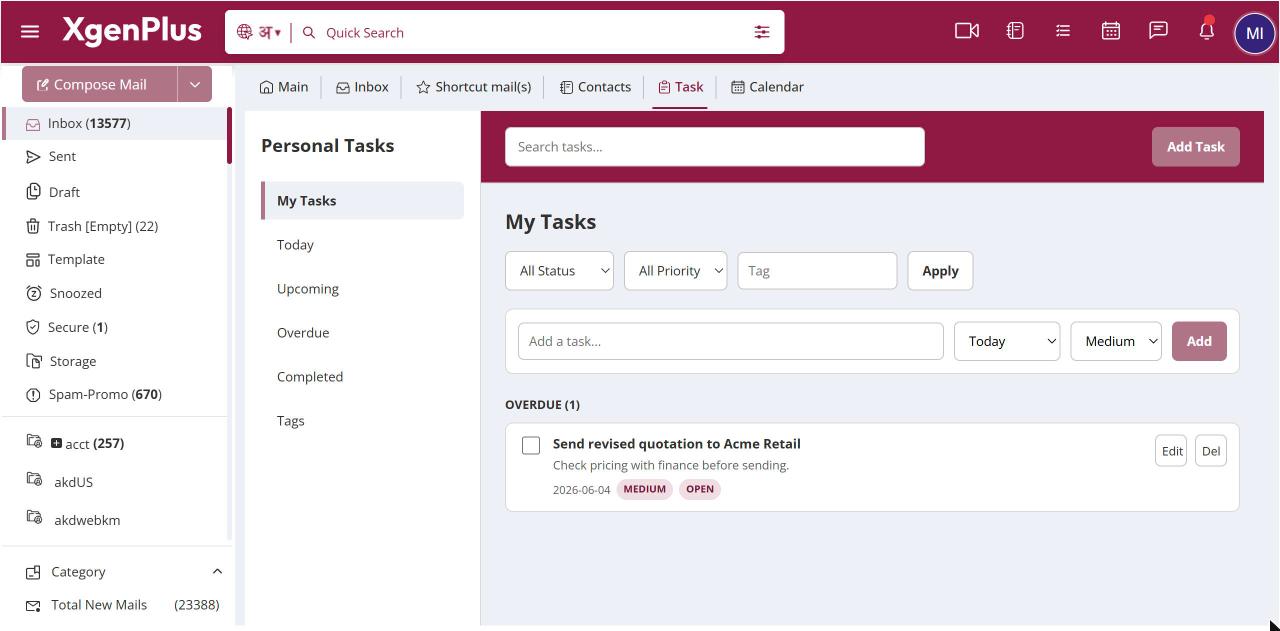
To add a task quickly, open Task from the top bar and type the title in Add a task.... Choose a due date, Today, Tomorrow, Next Week or No Date, and a priority, Medium, High or Low. Click Add. The title can be up to 200 characters. Open the task later to add notes or a tag.
For: EveryoneWebTime-saving
How to add a task quickly
- Click the Task icon in the top bar.
- Type the task in Add a task....
- Pick a due date and a priority.
- Click Add.
When to use it
Rohit finishes a client call and types "Send GST invoice to Acme", due Tomorrow, priority High, before he forgets.
Good to know
- For notes, a tag or a status, use Add Task instead, which opens the full form.
Was this page helpful?
Updated 2026-10-28