

Find and filter your tasks
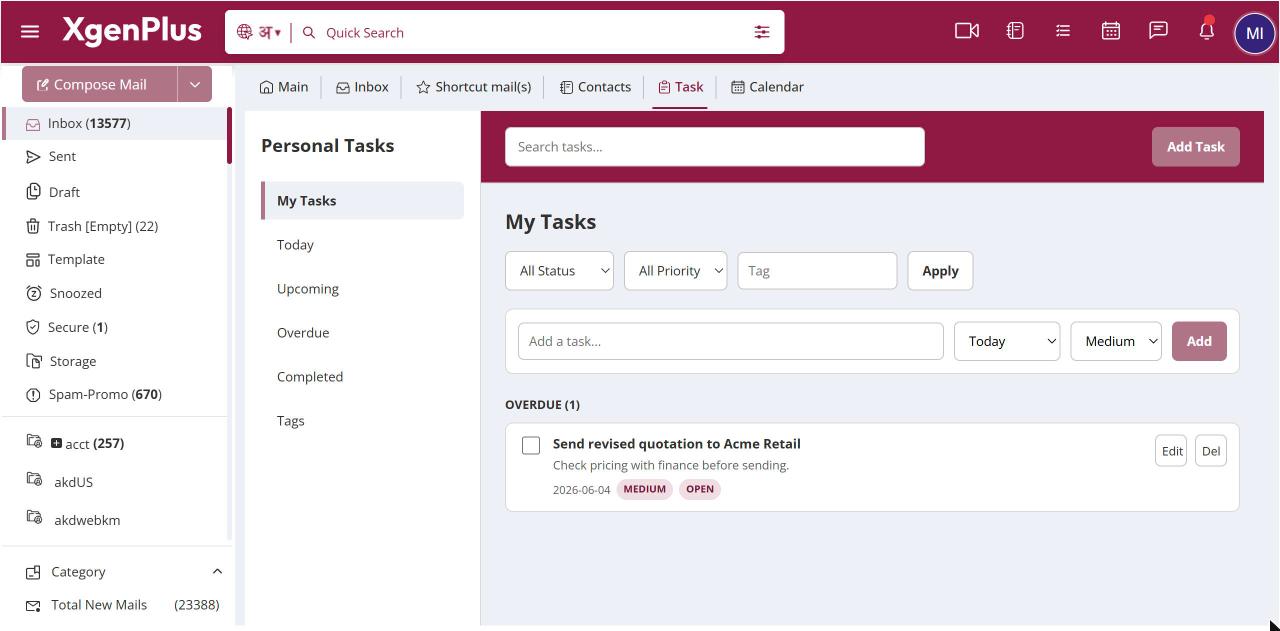
To find tasks, open Task and type in Search tasks.... The list narrows as you type. To filter, choose a status, such as Open or In Progress, and a priority, then type a tag and click Apply. The Tags view in the left sidebar groups all your tasks by tag.
For: EveryoneWeb
How to find and filter your tasks
- Click the Task icon in the top bar.
- Type in Search tasks... to search by word.
- Or set the status, priority and tag filters and click Apply.
When to use it
Before the audit, Rohit filters Priority High and tag "audit" to see exactly what he still has to close.
Options
| Filter | Choices |
|---|---|
| Status | All Status, Open, In Progress, Completed, Cancelled |
| Priority | All Priority, Low, Medium, High |
| Tag | Any tag you have used |
Good to know
- In the Tags view, tasks without a tag are listed under No Tag.
Was this page helpful?
Updated 2026-10-28