

Create more calendars
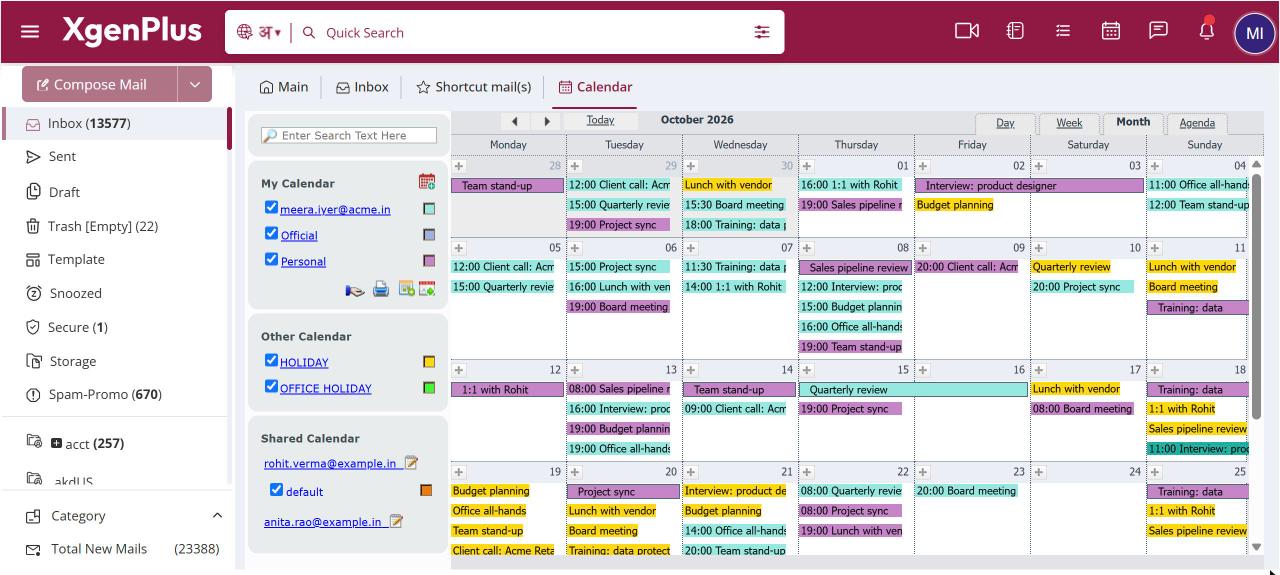
To add a calendar, open Calendar and, under My Calendar in the left pane, click the add icon (Create New Calendar). Enter a name of up to 20 characters, pick an Event Color and click Submit. Untick a calendar to hide its events. Your default calendar, named after your email address, cannot be removed.
For: EveryoneWeb
How to create more calendars
- Open Calendar from the top bar.
- In the left pane, under My Calendar, click the add icon (Create New Calendar).
- Enter a Calendar Name, choose an Event Color and click Submit.
- Tick or untick a calendar to show or hide its events. Click its colour swatch to change the colour.
- To rename or delete a calendar, right-click its name and choose Edit Calendar or Remove.
When to use it
Anita, a consultant at example.in, keeps a blue "ClientA" calendar and a green "Internal" calendar. While planning client work she unticks Internal so she sees only client meetings.
Options
| Option | What it does |
|---|---|
| Calendar Name | Up to 20 characters. Letters, numbers, underscore, hyphen and full stop are allowed. |
| Event Color | The colour this calendar's events use in every view. |
| Show or hide tick | Hides or shows the calendar's events. XgenPlus remembers your choice. |
Good to know
- Your default calendar carries your email address as its name.
- You can share any of your calendars with colleagues. See the related page on sharing.
Common questions
Which calendar does a new event go into?
If you have more than one calendar, XgenPlus asks you to select a calendar when you create an event.
Was this page helpful?
Updated 2026-10-28